Best Affordable Tablets for Students and Kids in Nigeria: itel VistaTab Go vs VistaTab 30 Pro
Looking for an affordable tablet for a student or child in Nigeria? We compare the itel VistaTab Go and VistaTab 30 Pro, including price, display, battery, performance and learning features.

Which itel Tablet Should You Buy for a Student or Child?
A tablet can be a useful learning device for children and students in Nigeria. It can provide access to online classes, educational videos, digital textbooks, learning apps and other school resources without requiring parents to buy a full laptop. The challenge is finding one that offers enough screen space, battery life and storage without becoming unnecessarily expensive.
Two itel tablets worth considering are the VistaTab Go and the more powerful VistaTab 30 Pro. They target different types of users. The VistaTab Go is the more affordable and child-friendly option, while the VistaTab 30 Pro is much closer to a laptop replacement for older students and users who need more performance.
Current Nigerian listings put the VistaTab Go around ₦144,000–₦160,000, depending on the seller and configuration, while the VistaTab 30 Pro can be found around ₦300,000–₦316,000 from some Nigerian retailers.
That makes the two tablets quite different propositions.
itel VistaTab Go vs VistaTab 30 Pro
Feature | itel VistaTab Go | itel VistaTab 30 Pro |
|---|---|---|
Approx. Nigerian price | ₦144,000–₦160,000 | ₦300,000–₦316,000+ |
Target user | Children, basic students | Older students, professionals |
Display | 8.68-inch class | 13-inch class |
Storage | 64GB commonly listed | 256GB |
RAM | 4GB commonly listed | 8GB + virtual expansion |
Connectivity | 4G | 4G |
Battery | 7,000mAh class | 10,000mAh |
Processor | Entry-level | MediaTek Helio G99 |
Cameras | Basic | 13MP rear / 8MP front |
Operating system | Android | Android 14 |
Best for | Education and entertainment | Study, productivity and entertainment |
We found that prices and configurations vary by seller. The VistaTab Go listings currently found in Nigeria show 64GB/4GB configurations around ₦144,000–₦160,000, while the VistaTab 30 Pro is listed by Nigerian retailers around ₦300,000–₦316,000 for 256GB/8GB configurations.
itel VistaTab Go: The Better Choice for Younger Children
If your main goal is to give a child an affordable device for educational videos, reading, basic learning apps and controlled entertainment, the VistaTab Go makes considerably more sense. Nigerian marketplace listings currently show the VistaTab Go with 4GB RAM and 64GB storage for roughly ₦144,000–₦160,000, although individual sellers and configurations can differ.
That is considerably cheaper than the VistaTab 30 Pro.
For a child who mainly needs YouTube educational content, online lessons, ebooks, basic apps and web browsing, spending another ₦150,000 or more may not be necessary. The VistaTab Go is therefore the tablet I'd look at first for parents working with a tighter budget.

Why the VistaTab Go Makes Sense for Kids
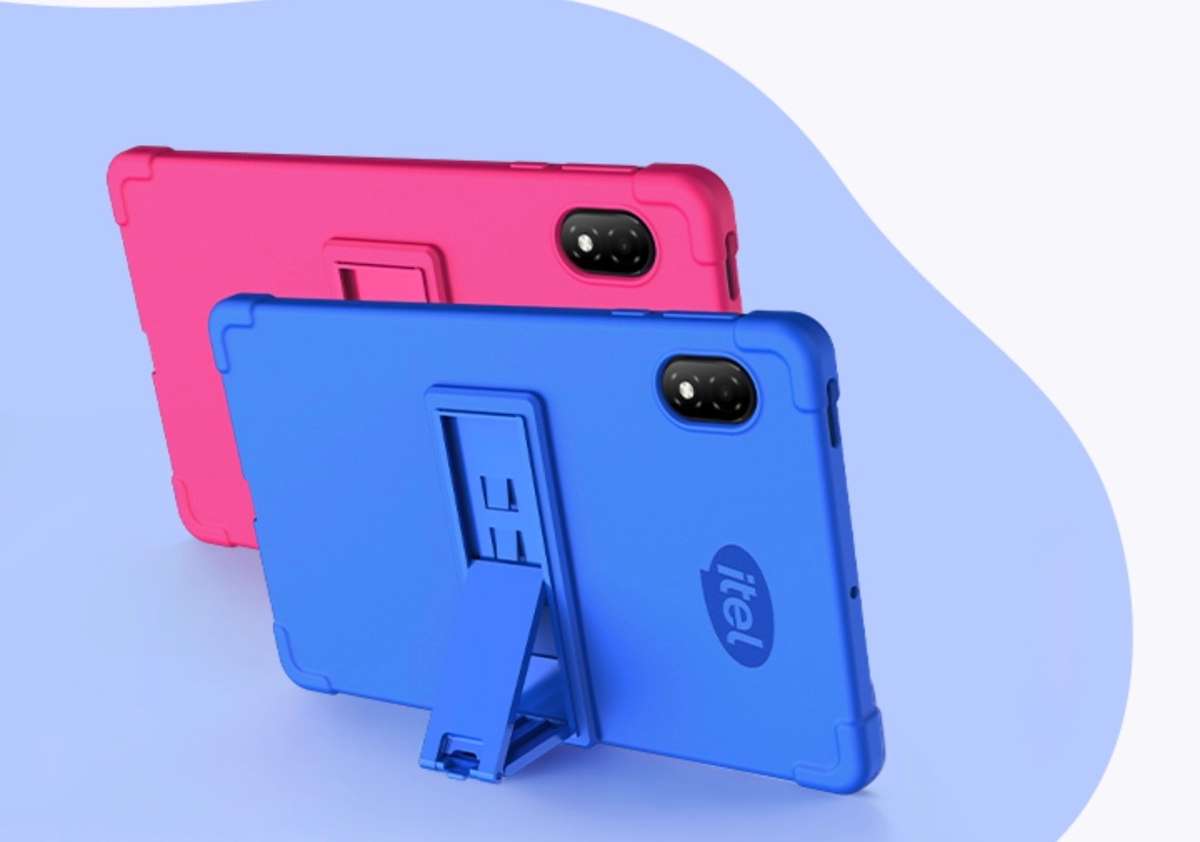
A child's tablet doesn't necessarily need flagship-level hardware. For younger users, the important things are usually a reasonable display, sufficient storage, battery life and access to learning applications. The VistaTab Go is positioned by itel around children's learning, with marketplace listings highlighting features such as a 7,000mAh battery, low-blue-light display features, parental controls and access to a Learning Center.
That combination makes it more appropriate for a child than simply buying the cheapest Android tablet available. Parents can use it for educational videos, digital storybooks, language-learning applications, school materials and carefully selected entertainment. It can also become a shared family device for watching cartoons or educational programs when the child isn't studying.
What About Storage?
The biggest limitation of an entry-level tablet is usually storage. A 64GB model can be enough for basic school applications, documents and streaming, but parents should remember that the operating system and installed applications consume part of that capacity. If your child downloads lots of videos, games and educational material, storage can disappear surprisingly quickly. For this reason, check whether the particular VistaTab Go configuration you're buying supports expandable storage before purchasing.
VistaTab 30 Pro: A Completely Different Class of Tablet
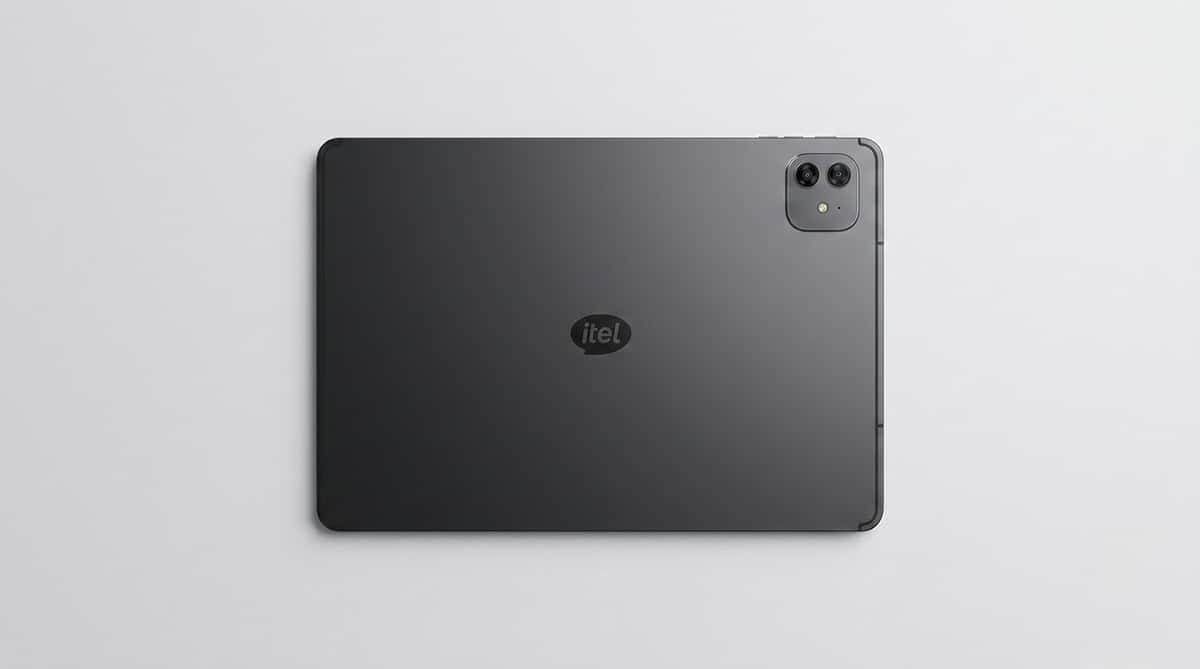
The VistaTab 30 Pro is where things become much more interesting. This isn't simply a bigger version of the VistaTab Go. itel equips the tablet with a 13-inch 2K-class display, MediaTek Helio G99 processor, 10,000mAh battery, 256GB storage and 8GB physical RAM with additional memory expansion.
It also supports 4G connectivity, meaning students can use mobile data rather than relying entirely on Wi-Fi. That makes the VistaTab 30 Pro much more interesting for secondary-school students, university students and professionals who want something that can handle more demanding workloads.
The 13-Inch Screen Is the Biggest Advantage
The VistaTab 30 Pro's large screen is arguably its biggest advantage. itel lists a 13-inch display with 1,920 × 1,200 resolution, 450-nit peak brightness and an 86% screen-to-body ratio.
For education, a large display can make a genuine difference. Imagine reading a PDF textbook on a small phone compared with opening the same document on a 13-inch tablet. You can see more of the page, use split-screen applications more comfortably and watch lectures without constantly zooming in and out. For university students, the larger display also becomes useful for:
Reading lecture slides
Reviewing research papers
Attending online classes
Taking notes
Browsing academic websites
Watching tutorials
Editing documents
This is one reason I'd recommend the VistaTab 30 Pro for older students rather than buying a small budget tablet.
It Can Also Become a Mini Laptop
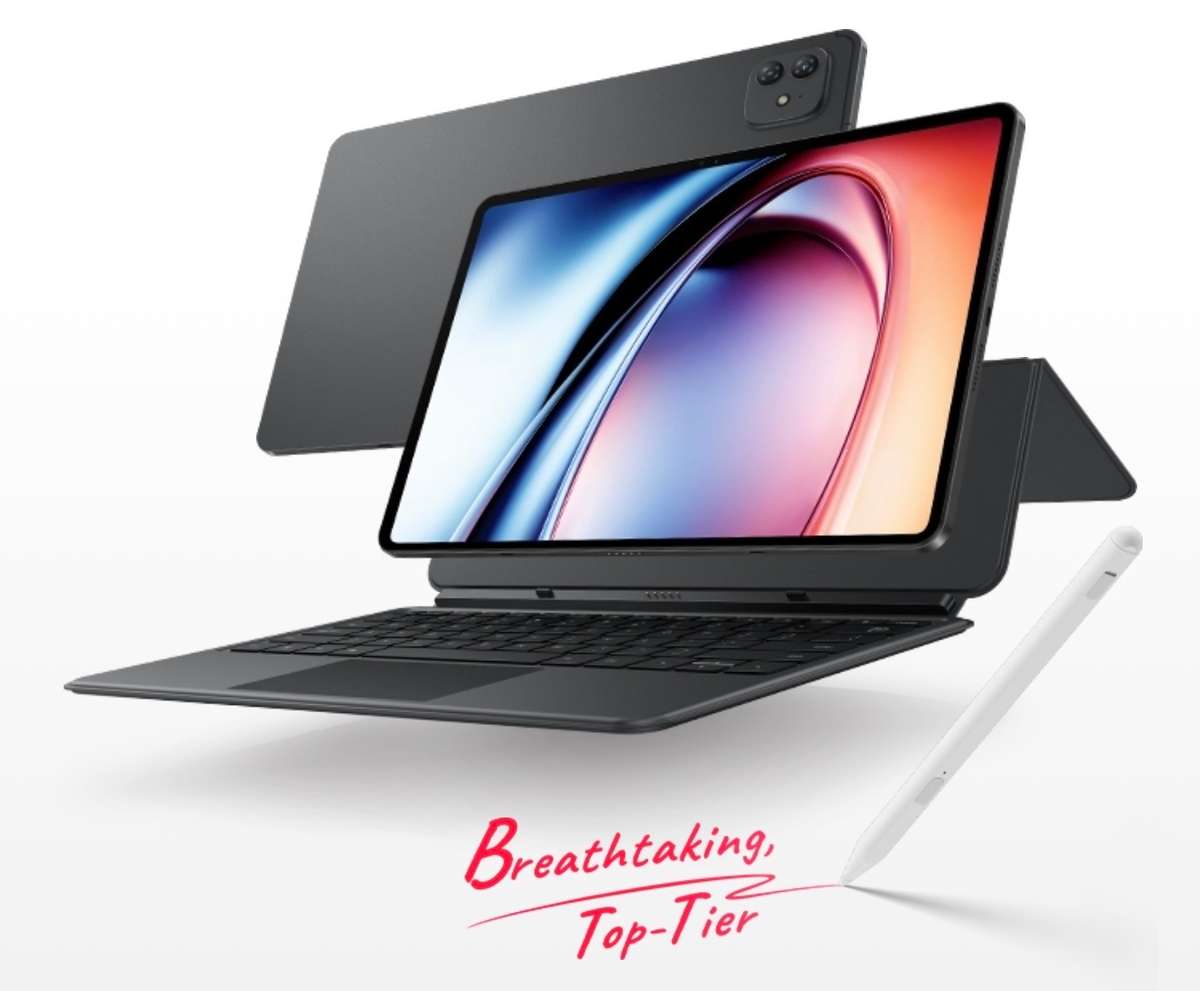
One particularly useful feature of the VistaTab 30 Pro is its support for a dedicated keyboard and stylus. itel says the tablet supports an 80-key full-size keyboard with a touchpad, while the dedicated stylus supports 4,096 levels of pressure sensitivity.
The important thing to remember, however, is that the keyboard and stylus are not included with the standard tablet package and need to be purchased separately. With the keyboard attached, the device becomes much more practical for typing assignments, writing documents and handling schoolwork.
For a university student who doesn't necessarily need Windows software, this could be a useful laptop alternative.
Performance: VistaTab 30 Pro Is the Clear Winner
The VistaTab Go is designed around affordability. The VistaTab 30 Pro takes performance much more seriously. It uses the 6nm MediaTek Helio G99, an octa-core processor with a maximum CPU frequency of 2.2GHz. itel also advertises improvements in CPU and GPU performance compared with its older Helio G88-based tablet platform.
Combined with up to 256GB of storage and 8GB physical RAM, the Pro should be considerably better suited to multitasking That matters if a student wants to have a browser open while switching between a PDF reader, note-taking application, video lecture and messaging application. It also gives the tablet considerably more breathing room for entertainment and gaming.
Battery Life Could Be Excellent for Students
Battery life is another major advantage. The VistaTab 30 Pro has a huge 10,000mAh battery with 18W charging. itel advertises up to 25 hours of movie playback and 18 hours of gaming under its laboratory testing conditions. These figures shouldn't be interpreted as guaranteed everyday battery life because actual usage varies considerably.
Still, the battery capacity itself is impressive.
For a student travelling between home, school and other locations, having a large battery reduces the need to constantly search for a charging point.
Is the VistaTab 30 Pro Good for Online Learning?
Yes, and this is arguably one of its strongest use cases. The large display, 4G connectivity, front camera, speakers and large battery make it suitable for online classes and educational content.
The tablet also comes with WPS Office pre-installed, allowing users to view and edit common document formats. That means a student can potentially use the tablet for more than watching videos. They can read documents, work on presentations and spreadsheets, attend online classes and communicate with classmates.
Which Tablet Should Parents Buy for a Child?
For younger children, I'd choose the VistaTab Go. There is little reason to spend around ₦300,000 on a powerful 13-inch tablet if the child primarily needs access to educational videos, reading material and basic learning applications. At around ₦144,000–₦160,000 in current Nigerian marketplace listings, the VistaTab Go is much easier to justify as a first tablet.
Parents should also configure parental controls, limit unnecessary applications and manage what content the child can access. The goal should be to make the tablet an educational tool rather than simply another entertainment screen.
Which One Should University Students Buy?
For university students, I'd lean heavily toward the VistaTab 30 Pro. The larger display, stronger Helio G99 processor, 256GB storage, 10,000mAh battery and keyboard/stylus support make it considerably more capable. It is also easier to imagine using the Pro for several years as a study and productivity device.
The price difference is significant, though. If your budget is around ₦150,000, the VistaTab Go remains the sensible choice. If you can stretch toward ₦300,000 or more, the Pro provides a substantially more capable experience.
VistaTab Go vs VistaTab 30 Pro: Which Offers Better Value?
The answer depends entirely on who is using it.
For a child: VistaTab Go.
For basic schoolwork: VistaTab Go.
For YouTube and educational videos: VistaTab Go.
For university: VistaTab 30 Pro.
For typing assignments: VistaTab 30 Pro.
For multitasking: VistaTab 30 Pro.
For a large-screen learning experience: VistaTab 30 Pro.
For gaming: VistaTab 30 Pro.
For the lowest price: VistaTab Go.
How Much Should You Budget in Nigeria?
Based on the current listings I found, I'd budget approximately:
Tablet | Current price range found | Recommended user |
|---|---|---|
itel VistaTab Go | ₦144,000–₦160,000 | Children and younger students |
itel VistaTab 30 Pro | ₦300,000–₦316,000+ | University students and productivity users |
Frequently Asked Questions
Is the itel VistaTab Go good for children?
Yes. Its lower price makes it particularly attractive as a first tablet for children who primarily need educational applications, videos, reading and basic internet access. Nigerian listings also highlight parental-control and learning-focused features.
Is the VistaTab 30 Pro good for university students?
Yes. Its large display, Helio G99 processor, 256GB storage, 10,000mAh battery and optional keyboard and stylus make it considerably more suitable for productivity and studying.
How much is the itel VistaTab Go in Nigeria?
Current Nigerian listings I found put the VistaTab Go around ₦144,000 to ₦160,000 for commonly listed 64GB/4GB configurations.
How much is the itel VistaTab 30 Pro in Nigeria?
Current Nigerian retailers list the VistaTab 30 Pro around ₦300,000–₦316,000, although prices can vary.
Does the VistaTab 30 Pro come with a keyboard?
No. itel states that the dedicated keyboard and stylus are sold separately.
Final Thoughts
Affordable tablets are becoming increasingly useful for Nigerian families because they sit between a smartphone and a laptop.
For a child who needs a device mainly for learning and entertainment, spending heavily isn't necessary. The itel VistaTab Go provides a much more accessible entry point.
For older students, however, the requirements change. A larger screen, better performance, more storage and the ability to connect a keyboard can make a tablet significantly more useful for school and university work.
That's where the VistaTab 30 Pro stands out. At roughly twice the price of the VistaTab Go, it isn't the obvious choice for every family. But for someone who will actually use its larger display, stronger processor, 256GB storage and productivity features, the additional investment can be justified.
If you're buying for a young child, save the money and get the VistaTab Go. If you're buying for a university student or someone who needs a tablet that can double as a productivity machine, the VistaTab 30 Pro is the one I'd choose.

Author
Adebayo JohnsonSenior tech editor with over 4 years of experience covering mobile and gadget technology. Explore author & articles