
Starlink Nigeria Installation Guide 2026: Costs, Setup & Used Starlink Prices
Learn how to install Starlink in Nigeria, activation steps, monthly subscription costs, installation tips, and whether buying a fairly used Starlink kit for ₦200,000–₦400,000 is worth it.
Adebayo Johnson
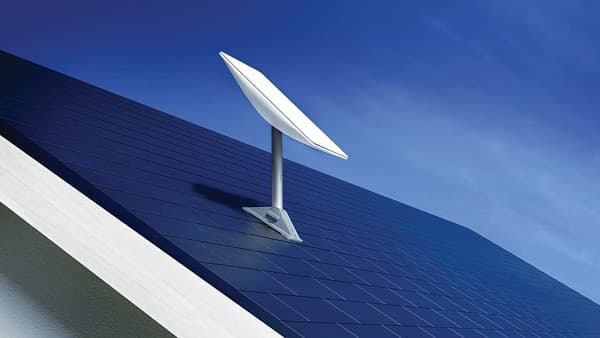
Starlink Nigeria Installation Guide (2026)
If you're tired of unreliable mobile data or slow broadband, Starlink has become one of Nigeria's most popular internet solutions.
Unlike MTN FibreX or other fibre providers that require cables running to your home, Starlink uses low-Earth orbit (LEO) satellites to deliver high-speed internet almost anywhere with a clear view of the sky.
Whether you live in Lagos, Abuja, Port Harcourt, Kano, Enugu, Jos, or even a remote village, Starlink can provide fast internet where traditional broadband isn't available. Starlink's residential service in Nigeria currently starts from ₦57,000 per month, with hardware purchased separately.
What Comes Inside the Starlink Box?
A standard Starlink kit typically includes:
Starlink satellite dish
Wi-Fi router
Power supply
Starlink cable
Base stand
Setup guide
Everything you need to get online is included in the kit.
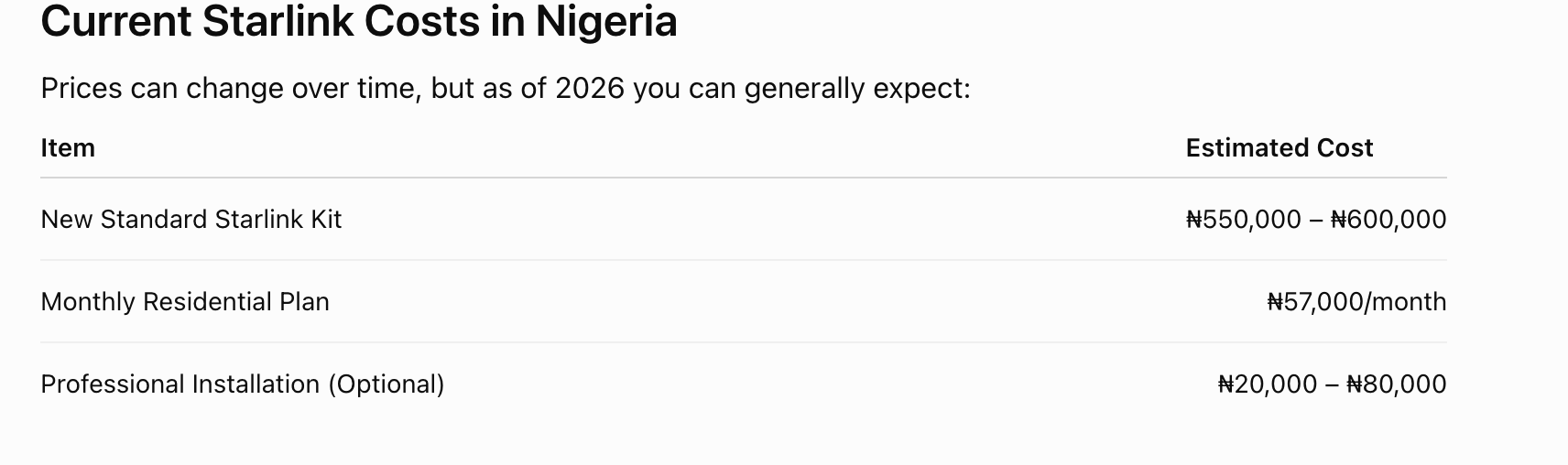
Professional installation costs vary depending on roof height, cable routing, and whether custom mounting is required.
Can You Install It Yourself?
Yes.
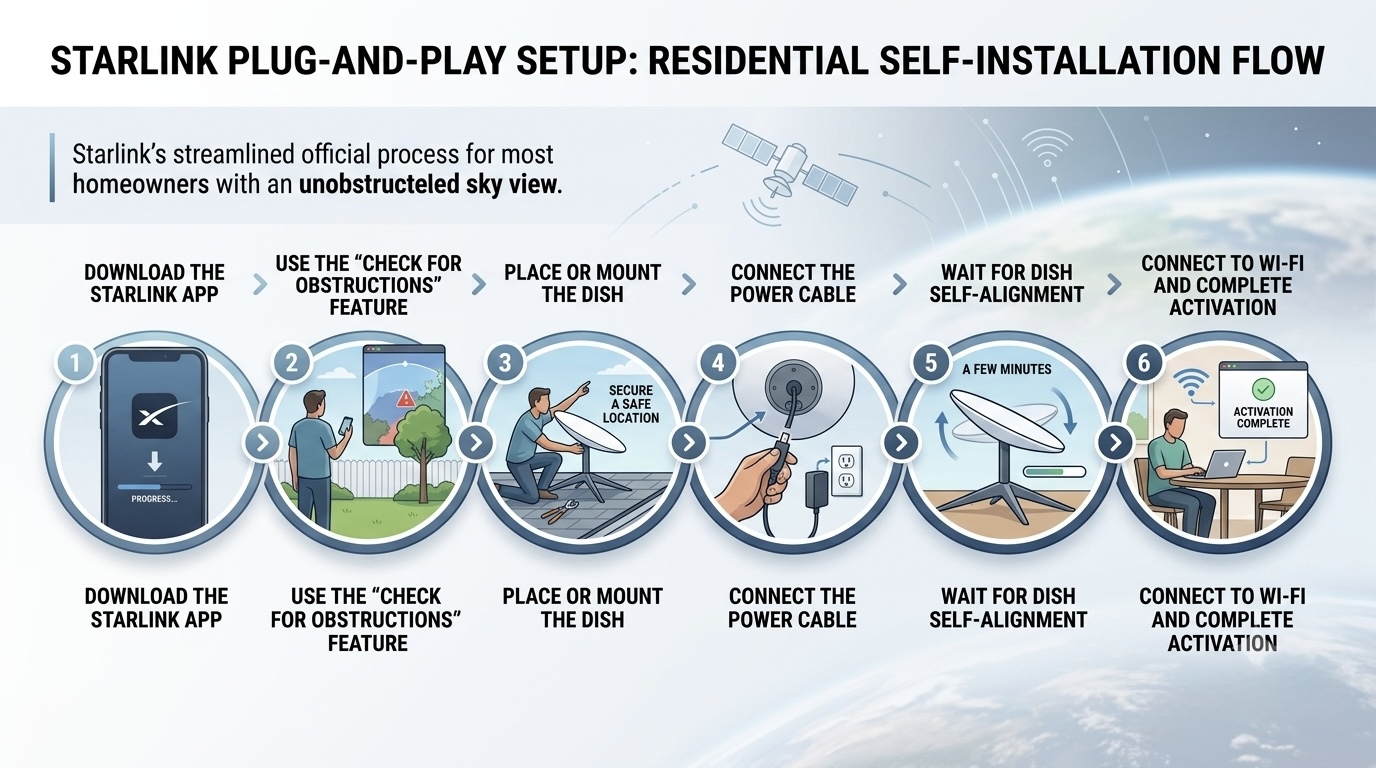
One of Starlink's biggest advantages is its plug-and-play setup.
If you have a safe location with an unobstructed view of the sky, many homeowners can complete the installation themselves.
Starlink's official setup process is:
Download the Starlink App.
Use the "Check for Obstructions" feature.
Place or mount the dish.
Connect the power cable.
Wait a few minutes while the dish aligns itself.
Connect to the Wi-Fi network and complete activation.
Best Place to Install the Dish
For the best performance:
Rooftop
Balcony with clear sky
Pole mount
High wall
Avoid installing near:
Large trees
Water tanks
Tall buildings
Billboards
Any obstruction can interrupt the satellite signal and reduce speeds.
How to Activate Starlink
Once your hardware is installed:
Open the Starlink app.
Create or sign in to your Starlink account.
Enter your kit details if required.
Choose your service plan.
Complete payment.
Wait for activation.
Most activations are completed within a few minutes once everything is configured correctly.
What Speeds Can You Expect?
In Nigeria, many users experience:
50–200 Mbps download speeds
10–20 Mbps upload speeds
20–40 ms latency under typical conditions
Actual performance depends on network congestion, weather, and how clear your view of the sky is.
Should You Buy a Fairly Used Starlink?
The answer is yes—but only if you're careful.
A fairly used Starlink kit can often be found on Nigerian marketplaces for around:
₦200,000 – ₦400,000
Compared to buying a brand-new kit for over ₦550,000, this can save you a significant amount of money.
However, there are important checks you should make before paying.
What to Check Before Buying a Used Starlink
Always verify:
The seller has properly released (transferred) the Starlink kit from their account.
The dish powers on.
The router works correctly.
All original cables are included.
The dish is not physically damaged.
The kit isn't reported as lost or stolen.
Without a proper ownership transfer, you may be unable to activate the hardware on your own account.
Is Professional Installation Worth It?
If your roof is high or your home has many obstructions, hiring an installer can be worthwhile.
Professional installers can:
Securely mount the dish
Route cables neatly
Optimize dish placement
Improve Wi-Fi coverage inside your home
Installation services in Nigeria typically range from ₦20,000 to ₦80,000, depending on the complexity of the job
Who Should Buy Starlink?
Starlink is an excellent choice if you:
Work remotely
Run an online business
Create YouTube content
Livestream regularly
Play online games
Live in an area with poor fibre or mobile coverage
Need reliable internet for a family or small office
Tips Before Buying
Use the Starlink app to check for obstructions before choosing an installation location.
Ensure you have a stable power source or backup (UPS, inverter, or solar), as the dish requires continuous power.
Compare the cost of a new kit versus a fairly used one from a trusted seller.
If buying used, insist on seeing the kit working and confirm the ownership transfer before making payment.
Frequently Asked Questions
Can I install Starlink myself?
Yes. Starlink is designed for self-installation, although professional installation may be helpful for more complex setups.
Is Starlink available everywhere in Nigeria?
Starlink is available across much of Nigeria, but plan availability can vary by location depending on network capacity. Check your address on Starlink's website before purchasing.
Is buying a used Starlink worth it?
Yes, provided the hardware is in good condition and the previous owner has completed the official transfer process.
How much does a used Starlink cost?
A fairly used kit is commonly advertised for around ₦300,000–₦400,000, although prices vary based on condition, generation, and included accessories. New kits generally cost ₦550,000–₦600,000.
Final Verdict
Starlink continues to be one of the most capable internet solutions available in Nigeria, particularly for homes and businesses located outside fibre coverage areas. Its straightforward installation, nationwide reach, and high-speed satellite connectivity make it an attractive option for remote workers, gamers, content creators, and families.
If your budget is limited, a fairly used Starlink kit priced between ₦200,000 and ₦400,000 can be a smart alternative to buying new—as long as you verify that the equipment is working properly and that ownership has been officially transferred. With the right setup and a clear view of the sky, Starlink can deliver a reliable broadband experience in places where traditional internet providers struggle.
Advertisement
Responsive
Related Articles
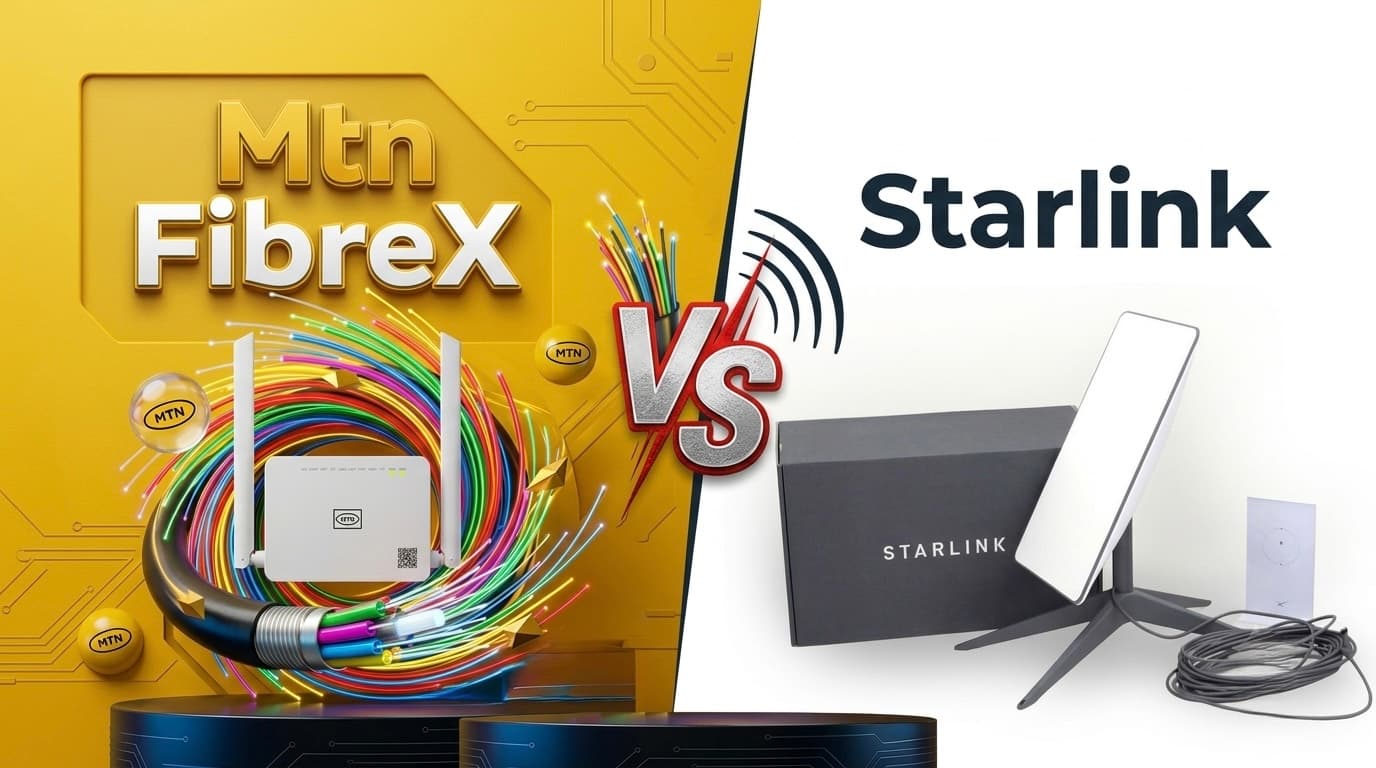
Starlink vs MTN FibreX (2026): Which Internet Should You Choose?
Comparing Starlink and MTN FibreX in Nigeria. We break down speed, coverage, installation, pricing, latency, gaming, streaming, and which internet provider is best for your home or business.
 Dolapo Anifowoshe
Telegram Removed from Apple's App Store Worldwide? Here's What We Know 2026
Telegram briefly disappeared from Apple's App Store worldwide before being restored. Here's why it happened, what Apple and Telegram said, and what it means for users in Africa.
Dolapo Anifowoshe
WhatsApp Keeps Freezing on iPhone? Here's How to Fix It 2026
Is WhatsApp hanging, freezing, or crashing on your iPhone? Learn the most effective ways to fix slow WhatsApp performance, especially on 64GB and 128GB iPhones running low on storage.
Dolapo AnifowosheAdvertisement
728x90
Comments (0)
Leave a comment
Comments cannot be edited or deleted after posting. Please review your comment before submitting.
No comments yet. Be the first to share your thoughts!