
How to Change Your iPhone or Android GPS Location for Free 2026 Guide
Want to spoof your GPS location on iPhone or Android? Learn how to change your phone's location for free using 3uTools, why it may stop working on newer iOS versions, and when a paid tool like MocPOGO may be worth considering.
Kwame Mensah
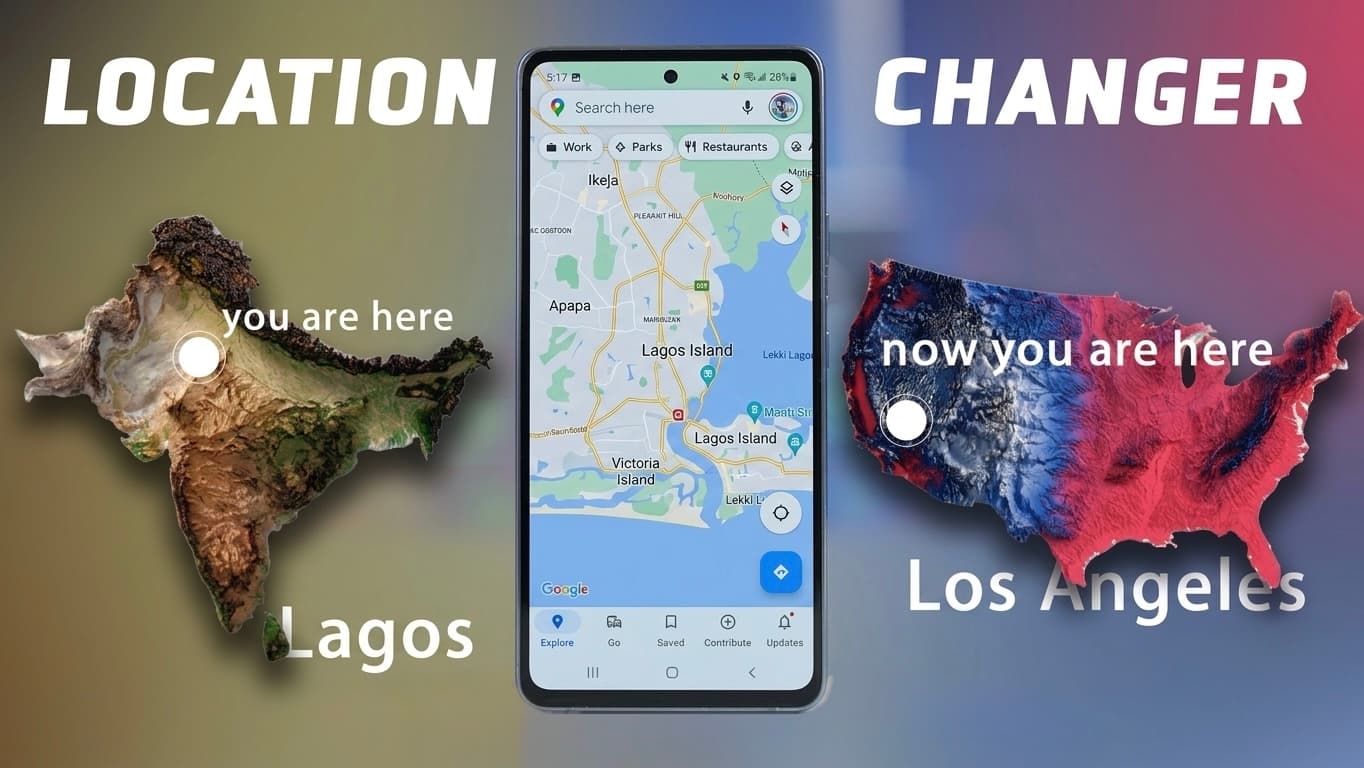
Want to Change Your Phone's Location?
There are many legitimate reasons why people want to change the GPS location on their smartphones.
For example, you may want to:
Test a location-based app as a developer.
Protect your privacy.
Check how an app behaves in another city or country.
Test your own business app before launch.
Some users also use GPS-changing tools with location-based games or social apps. Keep in mind that some apps prohibit GPS spoofing in their terms of service, and using these tools may result in restrictions or account penalties depending on the platform.
Free Method: 3uTools
One of the most popular free tools for iPhone users is 3uTools .
Besides device management features, it includes a Virtual Location tool that lets you set a different GPS location by connecting your iPhone to a Windows PC.
Basic setup:
Install 3uTools on your computer.
Connect your iPhone using a USB cable.
Open Toolbox → Virtual Location.
Search for an address or enter GPS coordinates.
Click Modify Virtual Location.
The location is then reported as the selected place until it is restored or the device is restarted.
The Problem with Newer iPhones
If you've upgraded to newer versions of iOS, you may have noticed something frustrating.
Many users report that after successfully changing their GPS location with 3uTools, the phone returns to its real location within a few minutes. This behaviour has become a common complaint on newer iOS releases and is likely related to changes Apple has made to its location and security systems.
Some users can still get 3uTools working after updating settings or using the latest version, but reliability varies depending on the iOS version and device.
A More Reliable Alternative: MocPOGO
If you need a more consistent solution, MocPOGO is one of the better-known paid GPS location changers.
According to its official documentation, it supports both iPhone and Android and offers features such as:
One-click GPS teleporting
Simulated movement routes
Joystick controls
Multi-device support
Compatibility with recent iOS versions
No jailbreak or root required
Compared with free tools, paid applications like MocPOGO are generally updated more frequently to stay compatible with newer operating systems.
Who Uses GPS Location Changers?
GPS-changing software is used in many legitimate scenarios, including:
App Developers
Testing apps that rely on location without physically traveling.
Privacy-Conscious Users
Reducing exposure of their real location while testing apps or demonstrating features.
Content Creators
Previewing location-based features or creating tutorials. e.g Instagram, Tinder, Tiktok
Gamers
Some players use GPS-changing software with location-based games. Be aware that many games treat this as cheating and may suspend or permanently ban accounts that violate their rules.
Is It Safe?
The software itself is only part of the picture.
Before using any GPS-changing tool:
Download it only from the official website.
Avoid cracked versions.
Read the privacy policy.
Understand the app's terms of service.
Some online communities have also raised privacy concerns about third-party device management tools, so it's worth researching any software before installing it.
Which One Should You Choose?
Choose 3uTools if:
You only need occasional GPS changes.
You're comfortable using a Windows PC.
You're testing on supported iOS versions.
You don't want to spend money.
Choose MocPOGO if:
You need more reliable location changes on recent iOS versions.
You regularly test location-based apps.
You want additional features like route simulation and joystick controls.
You need support for both Android and iPhone.
Frequently Asked Questions
Is GPS spoofing legal?
Changing your device's GPS location is generally legal in many places, but using it to violate an app's terms of service or to commit fraud can have consequences. Always use these tools responsibly.
Does 3uTools still work?
Yes, but reliability depends on your iOS version. Some users report that location changes may revert after a few minutes on newer versions of iOS.
Do I need to jailbreak my iPhone?
No. Both 3uTools and MocPOGO advertise solutions that work without jailbreaking the device.
Can these tools work with apps like Snapchat or Pokémon GO?
They can change the device's reported GPS location, but many location-based apps and games have systems to detect spoofing. Using them may violate those apps' policies and could lead to restrictions or bans.
Final Thoughts
If you're looking for a free way to change your phone's GPS location, 3uTools remains one of the easiest options for iPhone users. However, as Apple continues to strengthen iOS security, many users have experienced inconsistent results on newer versions of the operating system.
For people who rely on GPS location changes for legitimate testing, development, or privacy purposes and need a more dependable experience, a dedicated solution like MocPOGO may be worth considering. Whatever tool you choose, make sure you download it from its official source, understand the app's policies, and use location spoofing responsibly.
Advertisement
Responsive
Related Articles
MacBook Screen Goes Black When You Open It Wide? It Might Not Be the Motherboard (Flexgate Explained)
If your MacBook screen works only at certain angles or goes black when you open the lid fully, you may be dealing with the Flexgate display issue—not a motherboard fault. Here's what you need to know before paying for repairs.

Hidden Glo Data Trick in 2026: Get 10GB for Just ₦2,000 That Most Nigerians Don't Know About
Discover Glo's hidden data plans available only in the Glo Café app. Learn how to get 10GB for ₦2,000, compare it with MTN and Airtel, and find out why it's one of Nigeria's best-value data bundles.
Build Your Own Local AI Agent in 2026: A Beginner's Guide for Africans
Learn how to run your own AI assistant locally using open-weight models like Qwen and Gemma with OpenClaw. Automate emails, documents, coding, and business tasks—even on budget laptops.
Advertisement
728x90
Comments (0)
Leave a comment
Comments cannot be edited or deleted after posting. Please review your comment before submitting.
No comments yet. Be the first to share your thoughts!