MacBook Pro 16 M5 Pro vs Surface Laptop Ultra: Which $3,000 Laptop Is Better for AI, Creators and Professionals?
Apple MacBook Pro 16 M5 Pro vs Microsoft Surface Laptop Ultra compared on AI performance, display, battery, design, software, limitations and prices in Nigeria.
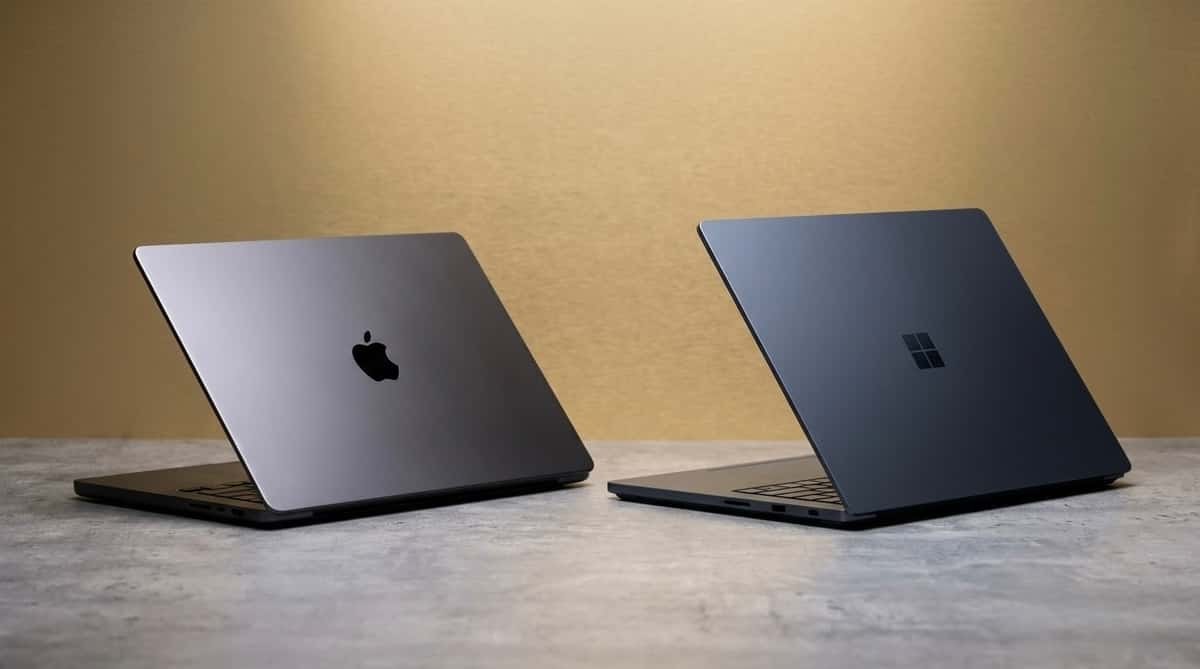
Microsoft has entered a particularly interesting part of the premium laptop market with the Surface Laptop Ultra. Rather than simply building another thin Windows notebook, it has partnered with NVIDIA to create a machine capable of handling demanding AI workloads, graphics processing and professional applications.
Its closest competitor is Apple's 16-inch MacBook Pro powered by the M5 Pro chip. Both machines cost approximately $3,000 in comparable 24GB RAM and 1TB storage configurations, but their priorities are noticeably different.
The MacBook Pro focuses on sustained productivity, battery efficiency and creative workflows. The Surface Laptop Ultra introduces NVIDIA's RTX Spark architecture, a touchscreen and a stronger emphasis on local artificial intelligence.
Neither is automatically the better purchase. Your applications and workflow matter far more than the logo on the lid.
MacBook Pro M5 Pro vs Surface Laptop Ultra specifications
Specification | MacBook Pro 16 M5 Pro | Surface Laptop Ultra |
|---|---|---|
Display | 16.2-inch Liquid Retina XDR | 15-inch PixelSense Ultra |
Resolution | 3456 × 2234 | 3270 × 2180 |
Peak HDR brightness | 1,600 nits | 2,000 nits |
Touchscreen | No | Yes |
Processor | Apple M5 Pro, 18-core CPU | NVIDIA RTX Spark N1X, 18-core CPU |
Graphics | 20-core Apple GPU | NVIDIA Blackwell RTX, 5,120 CUDA cores |
RAM | 24GB unified | 24GB unified |
Storage | 1TB SSD | 1TB removable SSD |
Maximum storage | 8TB | Up to 2TB |
Battery | 100Wh | 92Wh |
Advertised video playback | Up to 24 hours | Up to 15 hours |
Weight | 2.14kg | 2.0kg |
Thickness | 16.8mm | Under 18mm |
Ports | 3 Thunderbolt 5, HDMI, SDXC | 3 USB4, USB-A, HDMI, SD |
Charging | MagSafe 3 / USB-C | Magnetic USB-C |
Operating system | macOS | Windows 11 on Arm |
US price (24GB/1TB) | $2,999 | $2,999.99 |
Nigeria price | ₦4,999,000 listed | ₦4.3m–₦5.2m estimated |
Availability | Available | October 16, 2026 |
Design and display: Microsoft finally brings touch to the fight
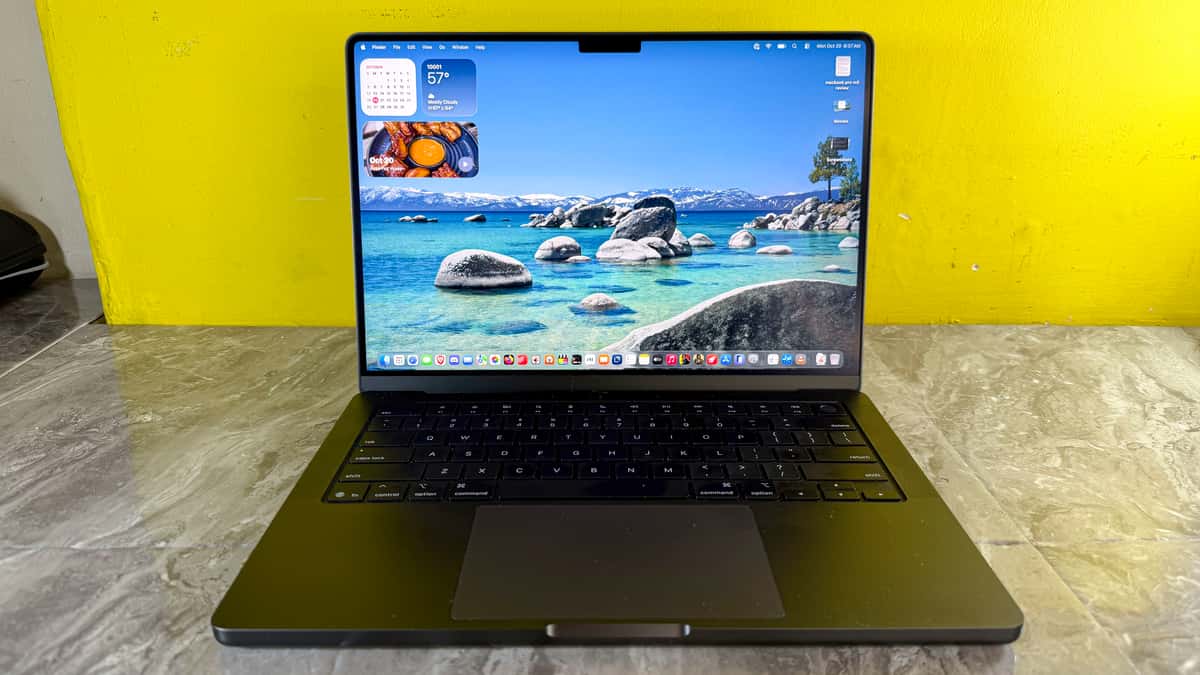
The MacBook Pro remains one of the most recognizable professional laptops. Its aluminum construction, large trackpad and 16.2-inch Liquid Retina XDR display are designed around long working sessions.
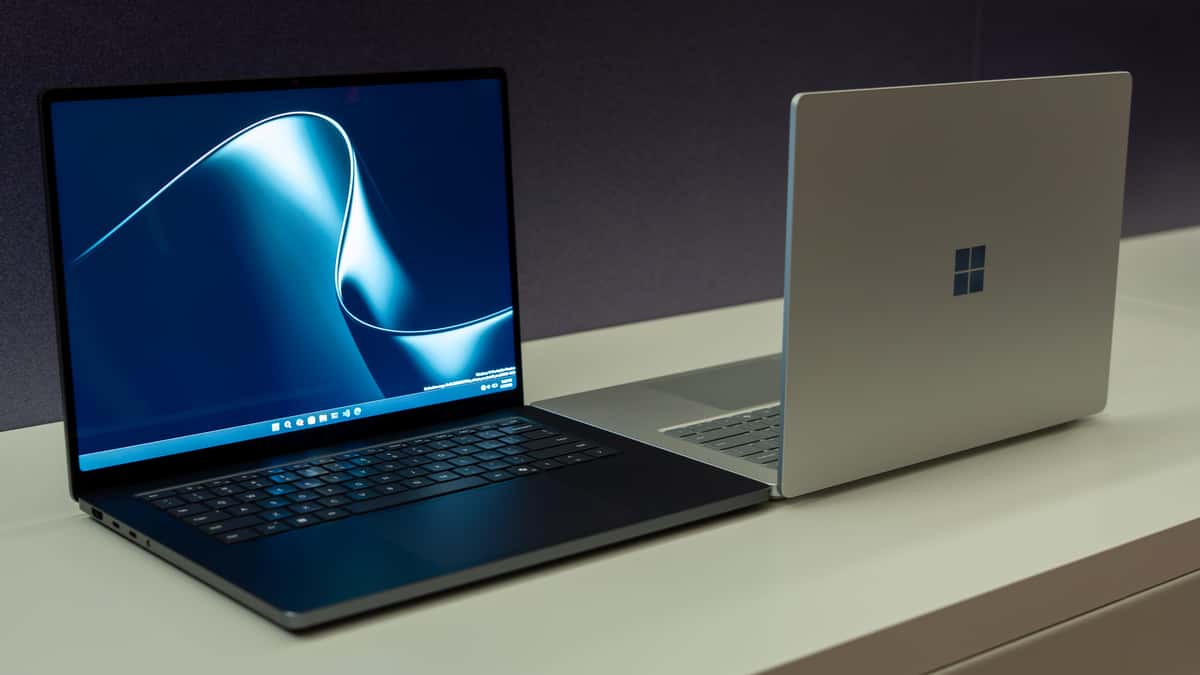
The Surface Laptop Ultra takes a slightly different approach. At approximately 2kg, it is lighter than the 2.14kg MacBook despite incorporating a touchscreen and substantial cooling hardware.
Its 15-inch PixelSense Ultra display reaches 2,000 nits peak HDR brightness, compared with 1,600 nits on Apple's panel. The Surface also supports direct touch interaction, something Apple still excludes from the MacBook Pro.
For designers reviewing layouts, photographers navigating images or professionals annotating content, that additional input method could be genuinely useful.
However, the MacBook offers a larger physical workspace, which remains valuable for video timelines, spreadsheets and programming.
Display: Surface wins on touch and peak HDR brightness; MacBook offers more screen space.
Performance: Apple silicon meets NVIDIA Blackwell
The biggest difference lies beneath the keyboard. Apple's M5 Pro combines an 18-core CPU with a 20-core GPU and 24GB of unified memory in the configuration we're comparing. Its architecture is particularly attractive for professional applications optimized for macOS, including Final Cut Pro, Logic Pro, development environments and supported creative software.
Microsoft's Surface Laptop Ultra uses the NVIDIA RTX Spark N1X, combining an Arm-based Grace CPU with Blackwell RTX graphics. The 24GB configuration includes 5,120 CUDA cores, while higher-end versions increase to 6,144 cores and up to 128GB unified memory.
This is important for developers who work with CUDA-dependent applications, AI inference and GPU-accelerated rendering. But GPU core counts from Apple and NVIDIA cannot be compared directly. Different architectures make a simple 5,120-versus-20 comparison meaningless.
Independent performance testing will be necessary before declaring an overall speed winner.
AI capabilities: Surface targets serious local development
The Surface Laptop Ultra is particularly interesting for AI engineers and researchers.
Microsoft positions its higher-memory RTX Spark configurations as capable of running models exceeding 120 billion parameters locally, with access to NVIDIA's CUDA ecosystem. That opens opportunities for local language-model inference, experimentation, computer vision and AI-assisted software development.
However, that 120-billion-parameter capability should not be confused with what the entry-level 24GB model can comfortably run. The MacBook Pro also supports local AI workloads through Apple's Neural Engine, GPU acceleration and frameworks such as Core ML and MLX.
For developers already working within Apple's software ecosystem, the MacBook remains a capable AI development machine.
AI: Surface is more compelling for CUDA-oriented workflows, especially with higher memory configurations. MacBook remains attractive for Apple-native machine learning and general development.
Battery life: Apple has the advantage on paper
Battery endurance is where the MacBook Pro makes its strongest argument. Apple rates the M5 Pro model for up to 24 hours of video streaming and 17 hours of wireless web browsing. Microsoft rates the Surface Laptop Ultra for up to 15 hours of local video playback and 12 hours of active web use.
These figures come from different manufacturer testing conditions and should not be interpreted as identical benchmark results. Still, the advertised endurance difference is substantial.
For journalists, developers, students and creative professionals working away from power outlets, the MacBook looks like the safer option.
Software compatibility and limitations
The Surface Laptop Ultra runs Windows 11 on Arm, not conventional x86 Windows.
Many everyday applications work natively or through emulation, but some specialized software, drivers, hardware utilities and games may encounter compatibility limitations. Buyers should verify their essential applications before committing, particularly if they rely on specialized engineering tools or older Windows programs.
The MacBook has its own limitations. It lacks touchscreen support, offers less flexibility for CUDA-based workloads and has fewer options for running certain Windows-only applications.
Neither platform is universally compatible with every professional workflow.
Price in Nigeria: which offers better value?
The MacBook Pro M5 Pro 24GB/1TB is currently listed at ₦4,999,000 by iStore Nigeria. For the Surface Laptop Ultra, there is no verified Nigerian retail listing for the exact configuration yet.
Using its $2,999.99 US price and a recent exchange-rate reference of approximately ₦1,332 per dollar gives a direct conversion near ₦4 million before import costs. A practical preliminary import budget is around ₦4.3 million to ₦5.2 million, although actual Nigerian prices could fall outside this range once retailers begin stocking the device.
That means neither laptop is a budget-friendly purchase. Buyers are paying for specialized professional capabilities rather than ordinary productivity.
which laptop should you buy?
Choose the MacBook Pro 16 M5 Pro if you prioritize battery endurance, macOS applications, professional video editing, music production and a larger display. Its established software ecosystem and advertised battery advantage make it particularly compelling for mobile creative professionals.
Choose the Surface Laptop Ultra if your work involves CUDA, local AI development, GPU-accelerated applications, touchscreen interaction or Windows-specific professional tools that support Arm. Its expandable configuration options, removable SSD and NVIDIA architecture make it a more specialized machine.
For general professional productivity, I would lean toward the MacBook Pro because of its battery-life advantage and mature software ecosystem.
For AI engineers working extensively with NVIDIA tooling, I would investigate the Surface Laptop Ultra first but consider a higher-memory configuration rather than assuming 24GB is sufficient for demanding local models.
Overall recommendation: MacBook Pro for mobile creative productivity; Surface Laptop Ultra for NVIDIA-focused AI development and Windows-based technical workflows.
The final performance verdict should wait until independent testing establishes how these machines behave under sustained workloads, rather than relying entirely on launch specifications.
Read more: HP ZBook Fury G1i 16 Review: 192GB RAM and Pro Graphics
Read more: Best Gaming Laptop 2026: Gigabyte A16 vs HP Omen Max 16 — Which One Should Nigerians Buy?
Read more: Dell XPS 13 vs MacBook Air M5: Which Is Better in Nigeria?

Author
Adebayo JohnsonSenior tech editor with over 4 years of experience covering mobile and gadget technology. Explore author & articles