Best Budget Laptops Under ₦200,000 in Nigeria (2026)
Budget Laptops Nigeria, Laptops Under ₦200000, UK Used Laptops Nigeria, Student Laptops, ThinkPad Nigeria, Dell Latitude, HP EliteBook

Buying a genuinely useful laptop for ₦200,000 or less in Nigeria has become much harder in 2026.
After checking the current fairly used and UK-used market, we found something important: several business laptops that comfortably fitted this budget before have now moved above it.
The Dell Latitude 5480 is a good example. Current Nigerian listings we checked put an 8GB/128GB Core i5 model around ₦220,000, while cleaner 256GB configurations can climb considerably higher.
That doesn't mean ₦200,000 can't buy a useful laptop. It means you have to shop differently.
At this price, we'd rather buy a clean older ThinkPad, Latitude or EliteBook with 8GB RAM and an SSD than spend the entire budget on a newer-looking machine with 4GB RAM, weak storage or an entry-level processor.
And we'd keep another ₦10,000–₦30,000 available if stretching slightly gets a significantly better machine.
What ₦200,000 Actually Buys in Nigeria Now
Our current market research suggests roughly this buying landscape:
Laptop | Configuration we'd target | Current buying range we found | Under ₦200k? |
|---|---|---|---|
Lenovo ThinkPad X270 | Core i5, 8GB, 256GB SSD | ₦160k–₦220k | Yes, sometimes |
HP EliteBook 840 G3 | Core i5, 8GB, SSD | ₦170k–₦220k+ | Possible |
Lenovo ThinkPad T460 | Core i5, 8GB, SSD | Around ₦200k | Borderline |
Dell Latitude 7280 | Core i5, 8GB, 256GB SSD | ₦210k–₦270k | Usually no |
Dell Latitude 5480 | Core i5 7th Gen, 8GB, SSD | ₦220k–₦295k | Usually no |
These aren't fixed national prices. They're our September 2026 market snapshot.
Used-laptop prices can change dramatically depending on battery condition, display resolution, CPU generation, RAM, SSD size, cosmetic condition and seller.
More importantly, two laptops with exactly the same model name can be very different purchases.
That's why we'd never tell someone simply:
Buy a ThinkPad X270
We'd say:
Find a clean X270 with at least 8GB RAM, an SSD, acceptable battery health and a properly functioning display, keyboard and ports then negotiate the price.
That's the difference between buying a model name and buying a good laptop.
1. Lenovo ThinkPad X270 — One of the Best Remaining Sub-₦200k Options
Price we found: ₦160,000–₦220,000
The ThinkPad X270 survives our updated list because we can still find configurations genuinely below ₦200,000.
Current Nigerian listings include:
Core i5 / 8GB / 256GB SSD — ₦160,000
Core i5 / 8GB / 256GB SSD — ₦175,000
Core i5 7th Gen / 8GB / 256GB SSD — ₦190,000
With cleaner examples reaching ₦210,000–₦220,000. That price variation tells you almost everything about shopping for used laptops. Don't assume the ₦160,000 machine and ₦220,000 machine are equivalent. Inspect them.
What we like about the X270 is its practicality. It's compact, has the familiar ThinkPad keyboard and was designed as a business machine rather than an ultra-cheap consumer laptop.
For: Microsoft Word, Excel, Chrome, school portals, VS Code, basic Python, Zoom/Meet, email, and general office work, an 8GB/SSD configuration remains usable.
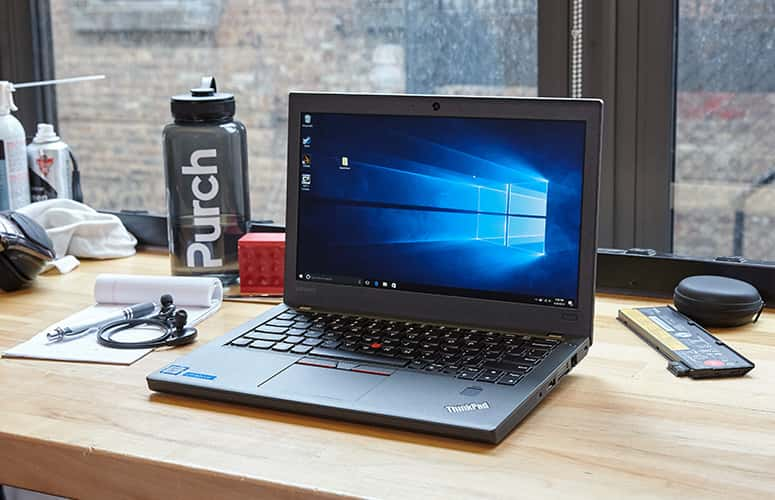
Its biggest weakness is age. Most examples you're seeing at this price use 6th- or 7th-generation Intel Core processors. You're buying an older platform, not discovering a magically cheap modern laptop.
Our buying price: We'd be particularly interested around ₦160,000–₦190,000 for a clean 8GB/256GB unit. Once the price crosses ₦220,000, we'd widen the search.
2. HP EliteBook 840 G3 — Still Worth Checking Around ₦200k
Target price: ₦170,000–₦200,000
The EliteBook 840 G3 is another machine we'd still search for when working with a hard ₦200,000 ceiling. It's an older 14-inch business laptop, commonly available with 6th-generation Core i5 processors.
That age is both its weakness and the reason it remains affordable. What attracts us isn't raw performance.
It's the possibility of finding: Core i5 + 8GB RAM + SSD
Inside a reasonably well-built business chassis without moving too far beyond ₦200,000. We wouldn't automatically pay extra simply because a seller says “EliteBook.”
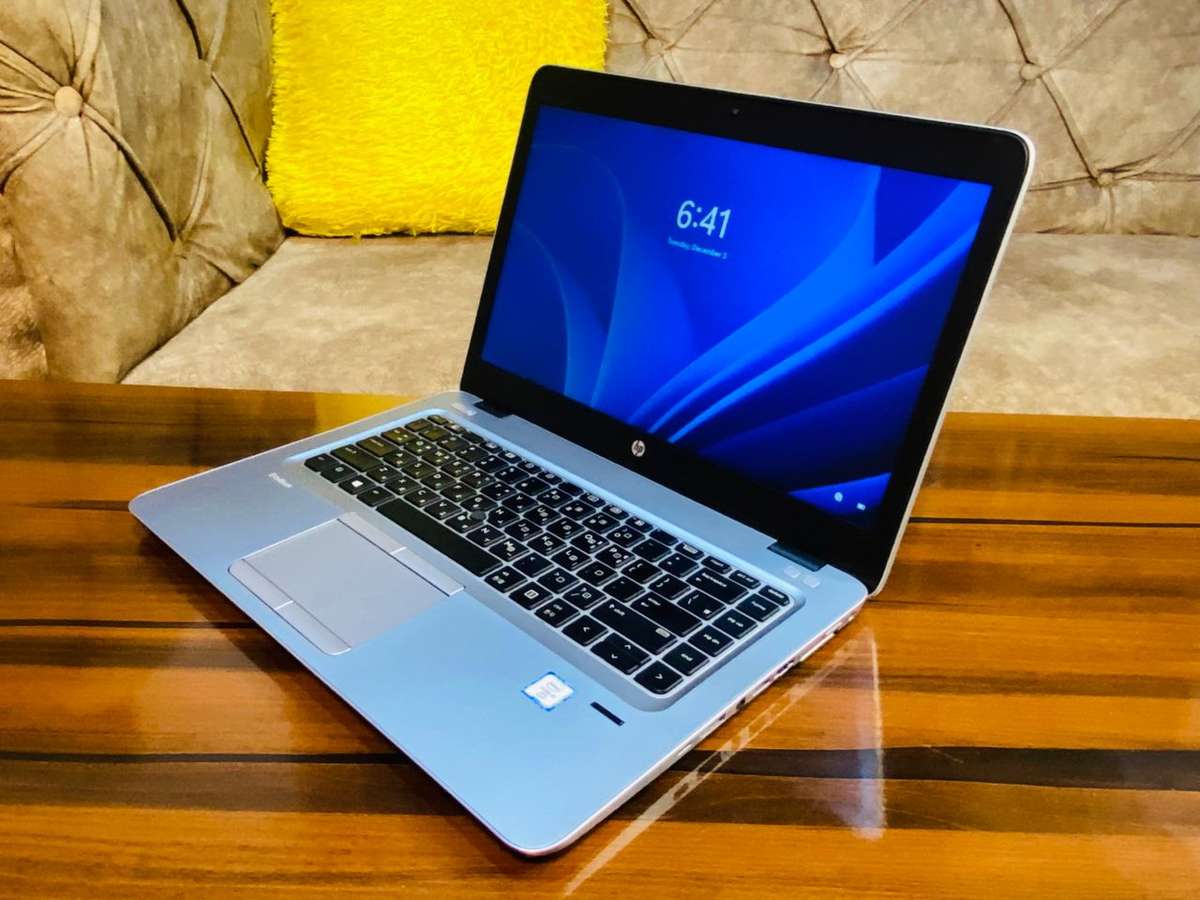
Check the configuration. A heavily worn 840 G3 with an HDD, weak battery and poor display isn't suddenly a good purchase because HP originally sold it as a premium business machine.
We'd target an SSD-equipped example with 8GB RAM and negotiate aggressively if the battery needs replacement.
Best suited to: students, administrative work, online learning, writing and ordinary office use.
3. Lenovo ThinkPad T460 — Worth Watching at the ₦200k Line
The T460 is another older ThinkPad we'd consider if one appears in good condition at the right price.
A current Nigerian market price list we checked puts the ThinkPad T460 at approximately ₦200,000. That puts it exactly on our ceiling. Like the X270, the attraction here isn't benchmark performance.
It's business-laptop practicality. The T460 gives you a larger 14-inch form factor than the compact X270 and retains the keyboard/build qualities that made older ThinkPads popular with office workers and developers.
At ₦200,000, though, we'd insist on a sensible configuration.
Our minimum would be:
8GB RAM
256GB SSD
working battery
good keyboard
functional Wi-Fi
healthy hinges
and preferably a Full HD display. If a seller wants ₦200,000 for a 4GB/HDD configuration, we'd walk away.
4. Dell Latitude 7280 — Good Laptop, Wrong Budget Unless You Negotiate
Our original article placed the Latitude 7280 around ₦150,000–₦190,000. That no longer reflects the current market we're seeing.
Recent Ikeja listings for 8GB/256GB configurations are around:
₦220,000
₦225,000
₦230,000
While a Nigerian retailer has a touchscreen 8GB/256GB example at approximately ₦270,000. So why keep it in an article about ₦200,000 laptops? Because we'd still look for one.
Used-laptop pricing is negotiable, and individual sellers occasionally price below the broader market.
If you find a clean Latitude 7280 around ₦190,000–₦200,000, we'd investigate it.
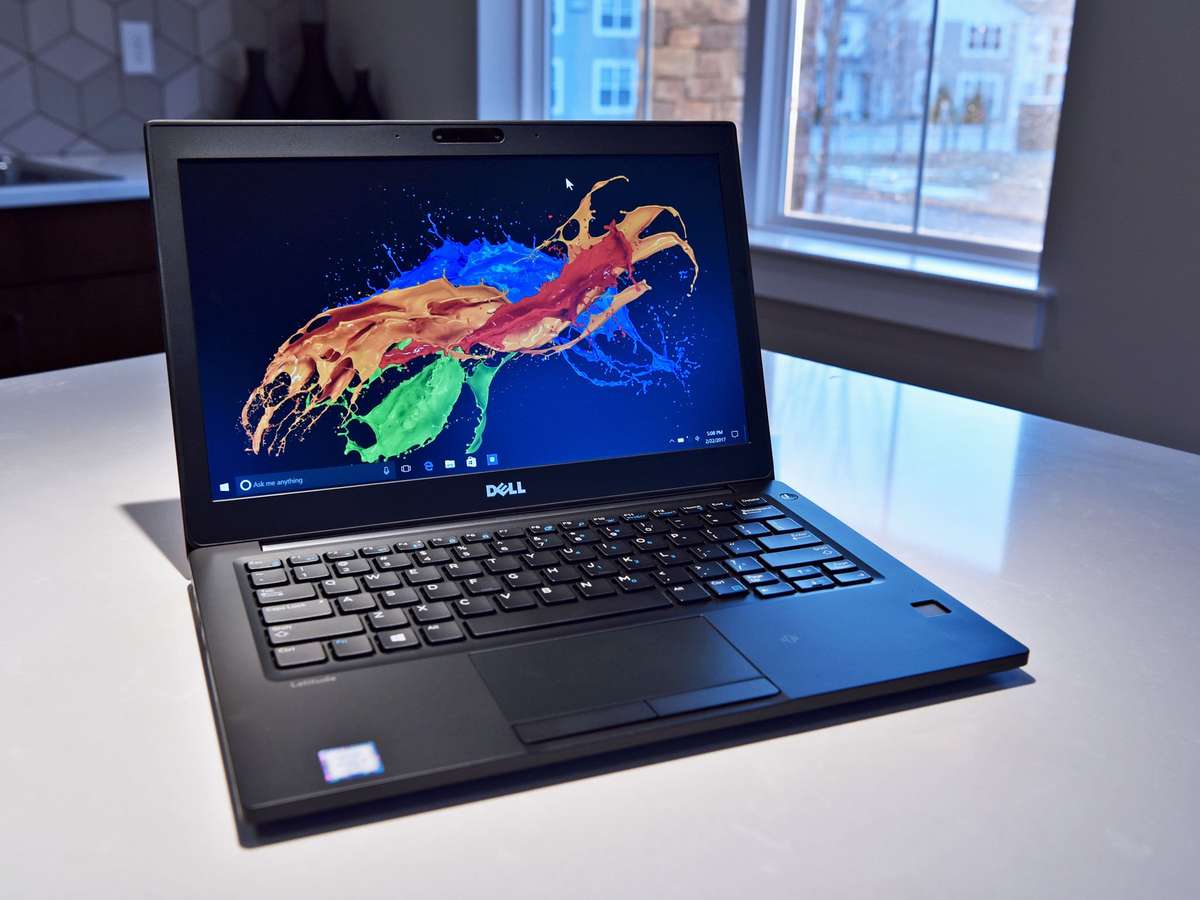
But we wouldn't tell readers they should expect that price. At ₦220,000+, it belongs in a different budget bracket.
This is an important distinction for buying guides: a good laptop doesn't automatically qualify as a good recommendation for a particular budget.
5. Dell Latitude 5480 — We'd Stretch the Budget Rather Than Pretend It's Under ₦200k
The Latitude 5480 was previously our best overall value. We still like the machine.
We just don't think it's honestly a sub-₦200,000 recommendation anymore.
One current Nigerian seller lists:
Core i5 7th Gen
8GB RAM
128GB SSD
for ₦220,000
Another current listing we checked puts an 8GB/256GB configuration at ₦295,000. A separate Nigerian market list places the Latitude 5480 around ₦240,000. That gives us a much more realistic picture.
We'd budget roughly:
₦220,000–₦250,000 for a reasonably priced Latitude 5480, with some sellers going considerably higher
If you have exactly ₦200,000, don't let a salesperson pressure you into an inferior 5480 just because you've read that the model is good.
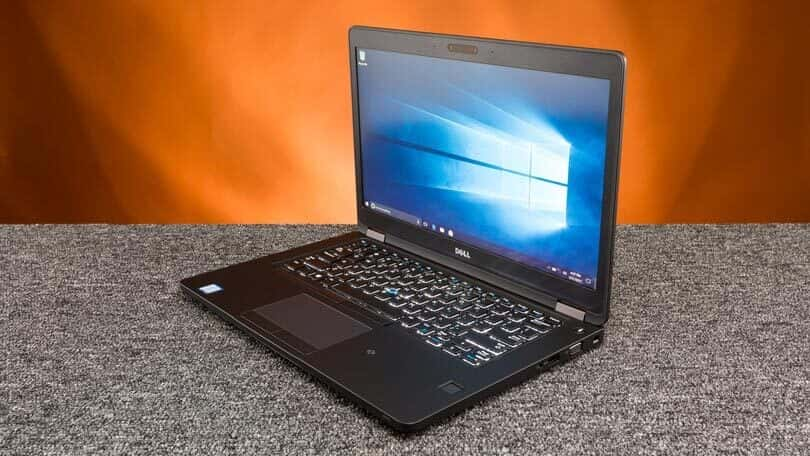
Buy a cleaner X270 or comparable machine. But if you can stretch another ₦20,000–₦40,000, a well-configured Latitude 5480 becomes worth investigating.
Why We're Focusing on Old Business Laptops
There's a reason ThinkPads, EliteBooks and Latitudes keep appearing in this price category. They were originally designed for organisations. That often means you get things such as: better keyboards, more practical ports, replaceable components, stronger hinges, less decorative construction and easier servicing.
That doesn't mean every business laptop is durable forever. A seven- or eight-year-old business laptop can still be completely worn out.
The advantage is that a good-condition example can offer more usable hardware for ₦200,000 than some ultra-budget alternatives.
Condition remains more important than the badge.
Our Minimum Specification at ₦200,000
If we were spending ₦200,000 today, we'd try not to go below:
Component | What we'd target |
|---|---|
Processor | Core i5 6th/7th Gen or better |
RAM | 8GB minimum |
Storage | 256GB SSD preferred |
Display | 12.5–14-inch; Full HD where possible |
Battery | Tested and usable |
Wi-Fi | Fully working |
Keyboard | Every key tested |
Charger | Proper compatible charger |
OS | Windows/Linux depending on use |
Condition | No serious hinge/body/display damage |
Notice what isn't on that table: Core i7.
We wouldn't chase the i7 badge at this budget.
A seller saying:
Boss, na Core i7.
doesn't tell us enough.
Which generation?
How much RAM?
SSD or HDD?
Battery health?
Display resolution?
Thermal condition?
A poorly maintained Core i7 laptop can be a much worse purchase than a clean Core i5 machine.
SSD Is Non-Negotiable for Us
If there's one specification we'd refuse to compromise on, it's the SSD. Suppose we're comparing: Core i5 + 8GB + 1TB HDD
against: Core i5 + 8GB + 256GB SSD.
For a normal student or office user, we'd take the SSD machine. Windows boot time, application loading, file access and general responsiveness improve significantly when you move away from a mechanical hard drive.
Storage capacity can be solved later with: an external drive, cloud storage or an SSD upgrade.
A frustratingly slow laptop affects you every time you use it.
4GB RAM Is Becoming Difficult to Recommend
We'd also avoid 4GB RAM unless the laptop is extremely cheap and easily upgradeable. Modern browsers alone can consume substantial memory once you open multiple tabs.
Add: Microsoft Word, WhatsApp, Spotify, Zoom, Excel, background Windows processes and 4GB quickly becomes restrictive.
8GB is our practical minimum. If you're planning to use VS Code, Python, Power BI or heavier multitasking, we'd prefer 16GB eventually.
That doesn't mean you need to buy 16GB immediately. A laptop with upgradeable RAM gives you room to improve it later.
Can You Code on a ₦200,000 Laptop?
Yes—with realistic expectations. An 8GB/SSD ThinkPad, Latitude or EliteBook can still be useful for learning: HTML, CSS, JavaScript, Git, SQL, Python fundamentals, basic pandas, VS Code and web development.
You don't need an RTX GPU to learn programming. Where these older machines become limiting is heavier work such as: large local datasets, multiple virtual machines, Android emulators, Docker-heavy workflows, local AI models, video editing, 3D work and serious gaming.
For those workloads, we'd increase the budget rather than force an old business laptop to do a job it wasn't designed for.
Windows 11 Is a Major Issue Buyers Should Know About
This is one of the biggest problems with recommending older 6th- and 7th-generation Intel laptops in late 2026. Microsoft's standard Windows 11 processor support is generally built around newer CPU generations than many of these machines.
At the same time, normal Windows 10 support ended on October 14, 2025. So if a seller advertises an old X270, 840 G3 or Latitude as:
Windows 11 installed
don't automatically assume that means the hardware is officially supported. Some used machines run Windows 11 through unsupported installation methods. That doesn't necessarily make the laptop unusable, but buyers should understand what they're purchasing.
For technically comfortable users, Linux can also extend the practical life of these machines for programming, browsing and general productivity.
For someone who wants a completely straightforward, officially supported Windows experience for several more years, we'd seriously consider increasing the budget for newer hardware.
Battery Health Matters More Than Cosmetic Condition
A laptop can look beautiful and still have a terrible battery. This is one of the first things we'd test.
Don't accept:
Battery strong.
Ask to see it working
Disconnect the charger
Use the machine
Check the battery report where possible
Watch how quickly the percentage falls
A used laptop that lasts only 20 minutes isn't really portable anymore. And in Nigeria, where reliable electricity isn't guaranteed everywhere, battery condition matters even more.
We'd rather buy a laptop with a few harmless scratches and a healthier battery than a spotless-looking machine that immediately needs a replacement.
Our Used-Laptop Inspection Test
Before paying, we'd test the machine ourselves.
Start with the screen. Look for dead pixels, bright spots, flickering, lines and pressure marks. Then test every keyboard key. Try the trackpad. Connect to Wi-Fi. Play audio through the speakers. Test the webcam. Plug something into the USB ports. Check the charging port. Test HDMI if you expect to use an external monitor. Check Bluetooth. Open and close the lid several times and inspect the hinges.
Confirm the RAM and SSD capacity inside Windows rather than trusting a sticker.
Then unplug the charger and watch the battery. Finally, restart the laptop.
That last step matters because you don't want to discover after paying that the machine only behaves properly once it has already booted.
Don't Let “UK Used” Become a Quality Guarantee
We'd also stop treating UK used as though it's a technical grade. It isn't.
The phrase tells you something about how the laptop is being marketed or where it supposedly came from.
It doesn't tell you: battery health, SSD health, repair history, screen condition, whether parts have been swapped or how heavily the machine was used.
A clean locally used laptop can be better than a badly worn “UK used” laptop. Inspect the actual computer.
Should You Buy a New Laptop for ₦200,000?
We wouldn't make that our first option if productivity is the goal. At this budget, the new-laptop market can force compromises in processor performance, RAM, storage or build quality. The used-business market gives you another route.
But there's a trade-off. The older business laptop may give you better immediate hardware, while the new laptop may give you: a warranty, new battery, newer architecture and potentially longer software support.
So we wouldn't say:
Used is always better
Our rule is different:
Compare what ₦200,000 actually buys on both sides, then choose the machine with fewer compromises for your workload
For office work and learning, that often still points toward a carefully inspected used business laptop.
If We Had ₦200,000 Today
Our first search would be for a ThinkPad X270 with Core i5, 8GB RAM and 256GB SSD around ₦160,000–₦190,000. That's one of the configurations we could actually verify within budget during this research.
Next, we'd look for a clean EliteBook 840 G3 or ThinkPad T460 around the ceiling.
But we'd also keep another strategy in mind: don't spend ₦195,000 on a mediocre laptop if ₦220,000 buys a noticeably better one.
For example, if a good Latitude 5480 appears at ₦220,000, we'd seriously consider finding the extra ₦20,000 rather than buying a worn machine simply to obey an arbitrary ₦200,000 ceiling. Value matters more than hitting the budget perfectly.
Frequently Asked Questions
Can ₦200,000 buy a good laptop in Nigeria in 2026?
Yes, but the options are increasingly concentrated in the fairly used market.
Our current research found ThinkPad X270 configurations with 8GB RAM and 256GB SSD around ₦160,000–₦190,000, although other examples exceed ₦200,000.
What's the best laptop specification for ₦200,000?
We'd target at least: Core i5 + 8GB RAM + 256GB SSD.
At this price, we'd prioritise condition, SSD storage and RAM over chasing an old Core i7.
Is the Dell Latitude 5480 still under ₦200,000?
Not reliably from the current market we checked. We found current Nigerian examples from approximately ₦220,000 upward, with some 256GB configurations considerably more expensive.
We'd therefore treat it as a stretch-budget recommendation, not pretend it's still comfortably under ₦200,000.
Is 8GB RAM enough for programming?
For learning web development, Python, SQL and general programming, yes. It's a reasonable starting point. We'd prefer an upgradeable machine so you can move to 16GB later as your workloads become heavier.
Should I buy an HDD laptop and upgrade it later?
Only if the price leaves enough money for the SSD upgrade and the rest of the laptop is genuinely good. Otherwise, we'd buy an SSD-equipped machine from the start.
Which is better: ThinkPad, Latitude or EliteBook?
We wouldn't choose based purely on the brand family. At this age, we'd take the machine with the better: condition, processor generation, RAM, SSD, display, battery and repair history.
A clean Latitude beats a worn ThinkPad. A clean ThinkPad beats a damaged EliteBook.
Final Advice
Our biggest takeaway from researching the under-₦200,000 Nigerian laptop market in September 2026 is that the budget isn't as comfortable as it used to be.
The Latitude 5480 has mostly moved beyond it. The Latitude 7280 has mostly moved beyond it.
Cleaner configurations of several other old business machines are moving in the same direction.
But useful laptops still exist. The ThinkPad X270 is one of the clearest examples we could verify, with 8GB/256GB Core i5 units still appearing below ₦200,000.
We just wouldn't shop by model name alone. At this budget, we'd care about five things before the logo:
8GB RAM
SSD storage
Battery condition
Physical condition
A price that reflects the age of the hardware
And we'd test everything before transferring money
Don't allow a clean lid, a “Core i7” sticker or the words “UK used” to make the decision for you.
A ₦180,000 laptop that works reliably for school, coding and office work is a good purchase.
A ₦150,000 laptop that immediately needs a battery, SSD, keyboard and screen repair isn't cheap.
Under ₦200,000 in 2026, you're not really shopping for the best laptop model. You're shopping for the best individual unit you can find.
Read more: Gigabyte P34 Gaming Laptop at ₦680,000: Is This Old GTX 1050 Laptop Still Worth Buying in Nigeria?
Read more: Lenovo ThinkPad X13 Gen 7: Ultra-Light Laptop With 30-Hour Battery

Author
Dolapo AnifowosheTech enthusiast and technical data scientist who loves to play with numbers. Explore author & articles