Best Laptops for Learning Cloud and AI Infrastructure Architecture: 3 Picks From ₦500K to ₦2M+
Three laptops for learning Docker, Kubernetes, local LLMs, vLLM, DevOps, AIOps and GPU infrastructure, with options from ₦500K to premium.

You don't need a ₦3 million gaming laptop to start learning Cloud and AI Infrastructure Architecture.
For a computer science, mathematics or engineering student—or a fresh graduate trying to enter cloud, DevOps, MLOps or AI infrastructure—the more important question is what you intend to run locally.
Our previous guide on becoming a Cloud & AI Infrastructure Architect proposed five practical projects: generating Dockerfiles with a local LLM, deploying vLLM on Kubernetes, building an AIOps stack with Prometheus and Grafana, creating GPU autoscaling inference and finally building scale-to-zero GPU infrastructure using KEDA.
Those projects require very different hardware. Here are three laptops across three budgets that make sense for that learning path.
Best Laptops for Cloud & AI Infrastructure Learning
Laptop | Key Configuration | International Price | Nigeria Price | Best For |
|---|---|---|---|---|
Dell Latitude 5420 (refurbished) | Core i7-1185G7, 16GB RAM, 512GB SSD | $359–$399 refurbished | ₦495,000 | Students/beginners |
ASUS Vivobook 14 M1407GA | Ryzen AI 7 445, 16GB DDR5, 512GB SSD | From ~$699 | ₦996,300 | Serious cloud/DevOps learning |
Lenovo Legion 5 16IRX9 | Core i7-14650HX, 16GB DDR5, 1TB SSD, RTX 4060 8GB | ~$1,061+ refurbished / varies new | ₦2.48m–₦3.15m new | Local AI/GPU infrastructure |
Prices are market snapshots and can change. The Dell recommendation assumes a properly inspected foreign-used/refurbished unit.
Under ₦500K: Dell Latitude 5420
For a student with a hard ₦500,000 ceiling, we'd prioritize a business-class refurbished laptop over a brand-new entry-level machine with 8GB RAM.
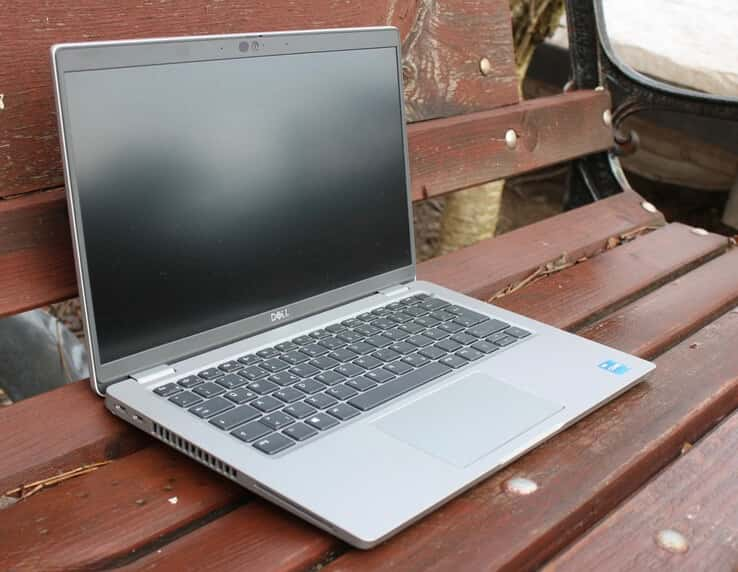
A strong example is the Dell Latitude 5420. Current Nigerian stock shows an 11th-generation Core i7 model with 16GB RAM and 512GB SSD for about ₦495,000, while Dell's US refurbished store has comparable Core i7-1185G7/16GB/512GB configurations around $359–$399.
Why 16GB?
Because cloud engineering quickly becomes a memory problem. Imagine running VS Code, several browser tabs, WSL2 or Linux, Docker Desktop, two or three containers, a Kubernetes cluster, Prometheus and Grafana simultaneously. An 8GB laptop can technically perform some of these tasks, but memory pressure quickly becomes frustrating.
The Latitude's 16GB makes it far more useful for learning Docker, Linux, Python, Terraform, Kubernetes and observability.
Minikube officially requires at least two CPU cores, 2GB of free memory and 20GB of storage, although realistic multi-container labs benefit from substantially more RAM.
What Projects Can It Handle?
Project 1 — Local LLM + Docker: Yes, with smaller quantized models through Ollama, although CPU inference will be slow.
Project 2 — Kubernetes + vLLM: Kubernetes learning, yes. Serious local vLLM GPU inference, no.
Project 3 — Prometheus + Grafana + AIOps: Yes.
Projects 4 and 5 — GPU autoscaling: Learn the architecture locally, but run the actual GPU workload in AWS, Azure, GCP or another GPU cloud.
That's actually a useful learning model: your laptop becomes the control/development machine while the cloud provides expensive accelerators when needed.
The major drawback is age. A Latitude 5420 is an older business laptop, so inspect battery health, SSD condition, keyboard, ports, display and charger before buying a used unit.
Under ₦1 Million: ASUS Vivobook 14 Ryzen AI 7 445
If you can spend around ₦1 million, the 2026 ASUS Vivobook 14 M1407GA is a much more modern development machine.
A current Nigerian listing puts the Ryzen AI 7 445, 16GB RAM/512GB SSD configuration at ₦996,300. Internationally, the 2026 Vivobook 14 line starts around $699.
Its AMD Ryzen AI 7 445 has six CPU cores and 12 threads, while the integrated XDNA NPU provides up to 50 TOPS. ASUS pairs it with 16GB DDR5 and a PCIe 4.0 NVMe SSD.
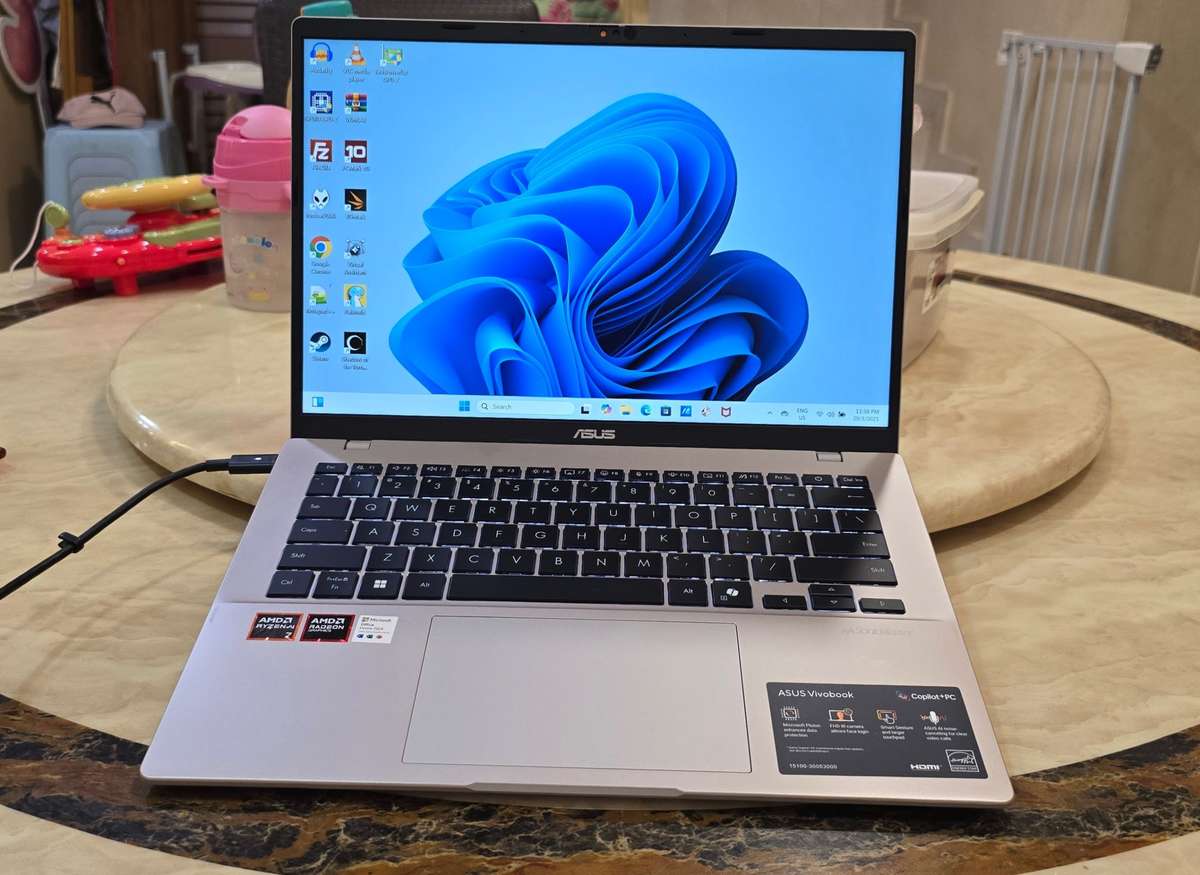
More importantly for a student, ASUS supports up to 32GB RAM on this platform through 16GB onboard memory plus a SO-DIMM slot. That upgrade path matters enormously. Move to 32GB later and you have much more room for Kubernetes nodes, databases, Redis, Prometheus, Grafana and multiple containers.
The laptop also provides two USB-C ports, two USB-A ports and HDMI, making it convenient for an external monitor and development accessories.
Where It Fits the Five Projects
Projects 1–3 are where this machine makes the most sense. You can run Ollama + Python + Docker, create local Kubernetes clusters, learn Helm, build monitoring stacks and experiment with automation without immediately needing a server.
The 50-TOPS NPU is useful for supported Windows AI workloads, but don't confuse an NPU with an NVIDIA CUDA GPU.
For a project explicitly involving vLLM and CUDA GPU inference, integrated Radeon graphics/NPU hardware doesn't provide the same development environment as an NVIDIA RTX GPU.
For Projects 4 and 5, use cloud GPU instances. For most students, that's not a weakness serious enough to justify doubling or tripling the laptop budget.
Above ₦1 Million: Lenovo Legion 5 RTX 4060
If you specifically want to learn AI infrastructure with local GPU access, the hardware requirements change.
Our premium choice is the Lenovo Legion 5 16IRX9 with Core i7-14650HX, 16GB DDR5, 1TB SSD and an NVIDIA GeForce RTX 4060 with 8GB dedicated VRAM.
A current Nigerian retailer lists this configuration at approximately ₦2.475 million, while Jumia listings are around ₦3.06m–₦3.15m.
That's a massive jump. But you're paying for something the cheaper machines don't provide: CUDA-compatible dedicated GPU hardware.
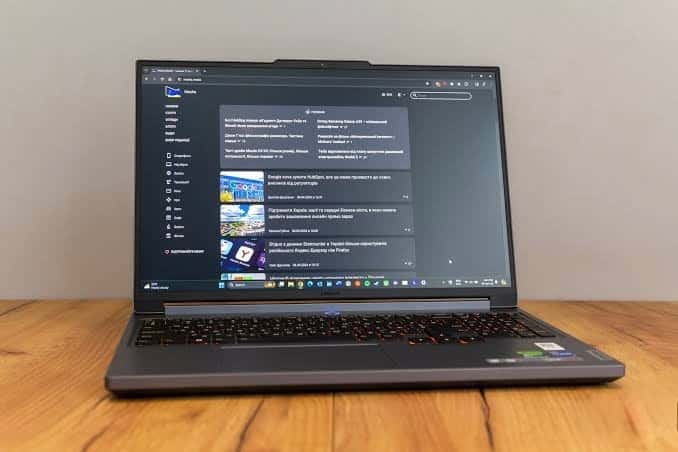
Ollama officially supports RTX 40-series GPUs including the RTX 4060, and NVIDIA GPU acceleration can also be exposed to Ubuntu through WSL2 on Windows. That opens the door to learning local model inference much more realistically.
Why the RTX 4060 Matters
For Project 1, Ollama can offload compatible models to the GPU instead of relying entirely on CPU inference
For Project 2, you can begin experimenting with GPU-backed model serving and understand what VRAM limitations actually mean
For Project 4, CUDA gives you direct exposure to GPU workloads before deploying them into Kubernetes GPU environments
For Project 5, you can develop the vLLM/KEDA/Redis architecture locally and then move the full multi-GPU or scale-to-zero implementation to cloud infrastructure
But there's an important limitation: 8GB VRAM is still 8GB. Don't buy an RTX 4060 laptop expecting to train giant foundation models locally. Modern AI infrastructure engineers frequently orchestrate remote accelerators rather than keeping every GPU inside their laptop.
What Specifications Should a Student Prioritize?
For this career path, prioritize hardware differently from someone buying a laptop for graphic design or gaming.
Aim for 16GB RAM as the practical minimum, preferably upgradeable to 32GB. Get at least a 512GB SSD, because Docker images, WSL distributions, model weights, datasets and development environments consume storage surprisingly quickly.
A modern six-core processor is desirable, but an older quad-core business CPU can still teach you Linux, Docker and Kubernetes.
A dedicated NVIDIA GPU is optional at the beginning. That last point can save a student more than ₦1 million. You don't need an RTX laptop to understand containers, Kubernetes manifests, Helm charts, Redis queues, Prometheus metrics, Grafana dashboards, autoscaling policies or Terraform.
Use cloud GPUs when the project reaches GPU-specific infrastructure.
Which One Should You Buy?
For a student working with ₦500,000, the refurbished Dell Latitude 5420 16GB/512GB is enough to start. Spend the money you save on reliable internet, cloud credits and courses.
Around ₦1 million, the ASUS Vivobook 14 Ryzen AI 7 445 is the sweet spot for someone who wants a new, modern laptop that can survive several years of cloud, programming and DevOps study. Upgrade it toward 32GB RAM when your labs become more complicated.
The Lenovo Legion 5 RTX 4060 is for learners who already know they want to go deeper into GPU inference, CUDA, local LLM serving and AI infrastructure engineering.
Final Buying Advice
Don't delay learning Cloud and AI Infrastructure because you cannot afford a GPU laptop.
Our student recommendation: start with 16GB RAM, 512GB SSD and a decent CPU. Rent GPUs when you need them
The first three projects—Dockerfile generation with an LLM, Kubernetes model-serving architecture and a Prometheus/Grafana AIOps stack—can teach you an enormous amount without owning a dedicated GPU.
By the time you reach KServe, GPU autoscaling, KEDA and production vLLM infrastructure, you'll also understand why GPU memory, CUDA compatibility, scheduling, observability and autoscaling matter.
That's a much better point to decide whether a ₦2 million-plus GPU laptop is actually worth your money.
Read more: How to Become a Cloud & AI Infrastructure Architect: 5 Projects That Can Prepare You for the AI Computing Boom
Read more: Gigabyte P34 Gaming Laptop at ₦680,000: Is This Old GTX 1050 Laptop Still Worth Buying in Nigeria?
Read more: Best Budget Gaming Laptops in Nigeria 2026– Top Affordable Picks
Read more: Best Budget Laptops Under ₦200,000 in Nigeria (2026)

Author
Azeez LiadiAzeez is an AI Engineer, Data Scientist, founder, and Senior Tech Writer at Afritech Connect. A top 1% graduate of Lagos State University, he has worked with international startups and… Explore author & articles