Googlebook Review: HP and Dell Laptops Built for Gemini Intelligence
Googlebook brings Gemini Intelligence, Android apps and gaming to premium HP and Dell laptops. We examine the HP Googlebook 14 and Dell XPS Googlebook.

For years, buying a mainstream laptop has largely meant choosing between Windows, macOS and ChromeOS. Google now thinks there's room for something different. Meet Googlebook.
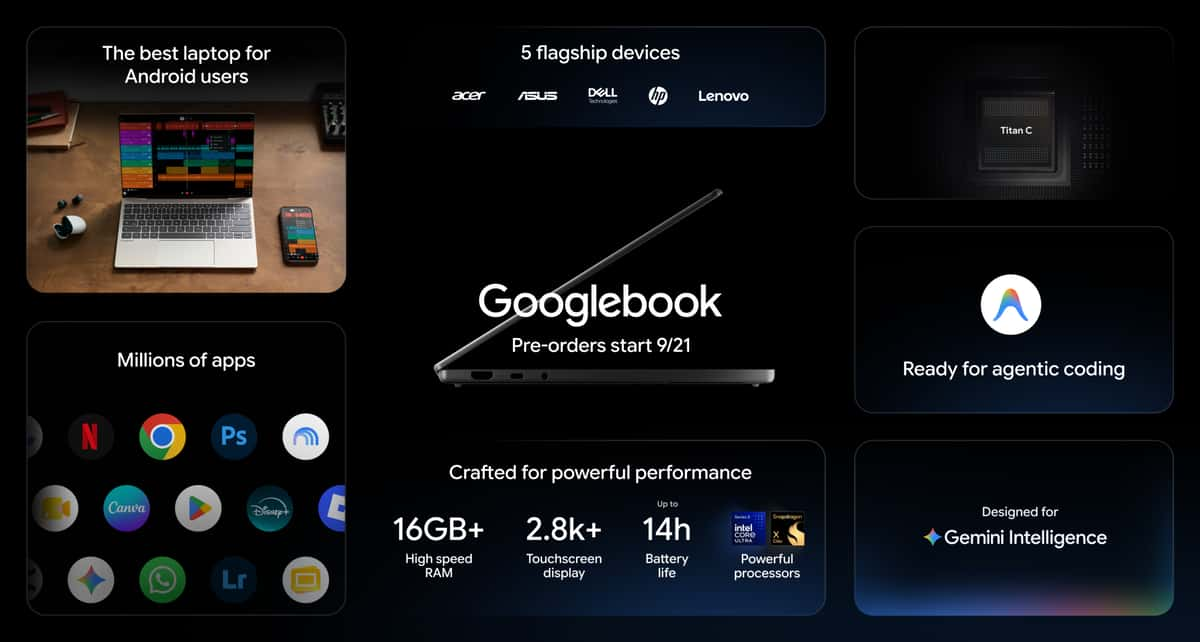
Launched on September 21, Googlebook is a new category of premium laptops designed around Gemini Intelligence and deep Android integration. Instead of Google manufacturing every machine itself, companies including HP, Dell, ASUS, Acer and Lenovo are building the hardware.
The idea is more ambitious than simply putting Gemini on another laptop. Googlebook OS combines the Android technology stack with desktop foundations developed through ChromeOS. Android applications can run on the computer, while Google has built features that allow an Android phone and Googlebook to behave more like parts of the same system.
Two particularly interesting launch machines are the HP Googlebook 14 and Dell XPS Googlebook.
HP Googlebook 14 vs Dell XPS Googlebook
Specification | HP Googlebook 14 | Dell XPS Googlebook |
|---|---|---|
International starting price | $1,299 | $999 |
Nigeria price | Not officially available | Not officially available |
Est. Nigeria Price | ₦2.0m+ | ₦1.6m+ |
Processor | Snapdragon X Elite | Snapdragon X Elite |
NPU | 45 TOPS | 45 TOPS |
RAM | 16GB; up to 32GB on selected HP configurations | Up to 32GB |
Storage | Up to 1TB | Up to 1TB |
Display | Up to 14-inch 3K OLED touch, 120Hz | 13-inch 2.5K touch, up to 120Hz |
Battery | Up to 19 hours | Up to 16–18 hours |
Operating system | Googlebook OS | Googlebook OS |
Android apps | Yes | Yes |
Gemini Intelligence | Yes | Yes |
Android phone integration | Yes | Yes |
Dedicated gaming GPU | No | No |
Graphics | Qualcomm Adreno | Qualcomm Adreno |
There is currently no official Nigerian Googlebook pricing, so Nigerian figures should be treated as import estimates rather than retail prices.
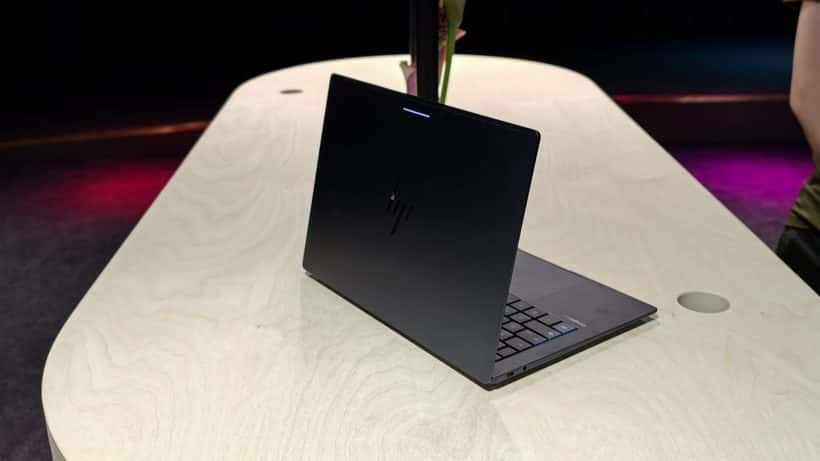
HP Googlebook 14 Is the Display-Focused Option
The HP model immediately looks like the more visually ambitious of the two.
HP offers configurations with a 14-inch 3K OLED touchscreen, 2880 × 1800 resolution, refresh rates up to 120Hz, 500-nit brightness and 100% DCI-P3 coverage.
Underneath is Qualcomm's Snapdragon X Elite X1E-80-100, featuring 12 CPU cores and a Hexagon NPU capable of 45 TOPS.
Memory can reach 32GB LPDDR5X, while storage options extend to 1TB. That makes this considerably more serious hardware than the inexpensive Chromebook many people may associate with Google's laptop ecosystem.
HP also quotes up to 19 hours of battery life for the Googlebook 14 under Google's controlled web-browsing testing.
Dell Turns XPS Into a Google Laptop
Dell's approach is arguably even more interesting. The XPS Googlebook takes the company's premium XPS design philosophy and replaces the conventional Windows-centered experience with Googlebook OS.
It weighs roughly 2.2 pounds and measures only 12.7mm thick. Dell equips it with a 2.5K InfinityEdge touchscreen supporting 100% DCI-P3, 500-nit brightness and variable refresh rates between 30Hz and 120Hz. It also uses Snapdragon X Elite and can be configured with up to 32GB LPDDR5X RAM and 1TB storage.
Dell says the machine can reach up to 16 hours of Netflix streaming. But hardware isn't what makes either machine unusual. Gemini is.
Gemini Isn't Just Another Chatbot Window
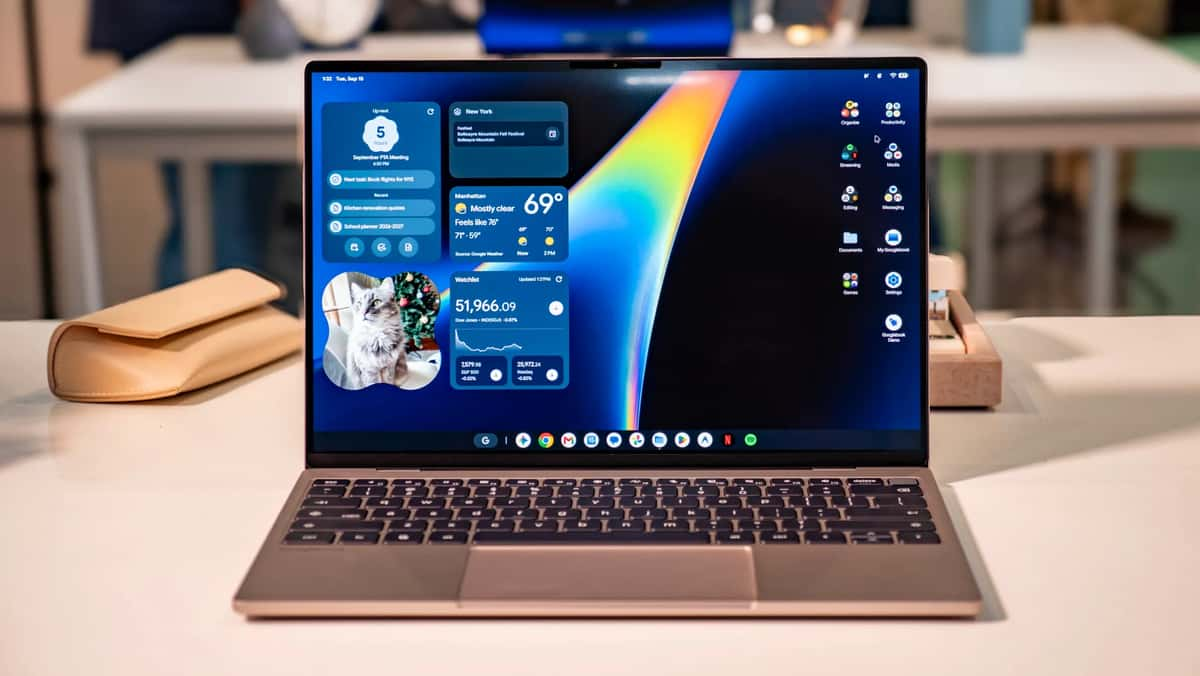
Google describes these computers as laptops designed specifically for Gemini Intelligence. One feature called Magic Pointer essentially turns the cursor into an AI interaction tool. Wiggle the pointer, select something on the screen and Gemini can help explain, compare or work with that information.
Then there's Rambler. Instead of carefully dictating perfectly structured sentences, you can speak naturally. Googlebook can remove filler words and transform your thoughts into formatted text, notes, checklists or other structured information.
For writers, developers and students, that's potentially far more useful than simply having another AI chatbot installed. Gemini can also work with contextual information from applications such as email and calendar, depending on permissions and supported services.
Your Android Phone Becomes Part of the Laptop
This could ultimately be Googlebook's biggest advantage. If you use Android, Google wants moving between your smartphone and laptop to feel almost invisible.
Googlebook can provide access to compatible phone files, photographs, notifications and applications. Cast My Apps allows supported Android phone applications to appear on the laptop without requiring another installation.
You can begin something on your phone and continue it from Googlebook. That's clearly Google's answer to one of Apple's greatest strengths: ecosystem integration between iPhone, Mac, iPad and other devices. For millions of Android users who don't own Macs, that proposition could be extremely attractive.
But What About Gaming?
This is where expectations need to be realistic. Googlebook supports native Android applications and games, and Qualcomm says Snapdragon-powered models support Snapdragon Elite Gaming technologies including enhanced graphics and higher frame rates.
That opens an enormous gaming library. Games already designed for Android can potentially make much better use of a large laptop display, keyboard, trackpad or compatible controller.
Googlebook also bundles access to services including GeForce NOW on eligible purchases, making cloud gaming another route to demanding PC titles.
But don't confuse this with an RTX gaming laptop. Neither the HP Googlebook 14 nor XPS Googlebook has a dedicated NVIDIA GeForce RTX GPU. If your priority is running demanding Windows AAA games locally at maximum settings, buy an actual gaming PC.
Googlebook's gaming proposition is different: Android games + cloud gaming + efficient Snapdragon graphics.
Googlebook Could Be More Interesting for Developers Than Expected
Another important capability sits underneath the consumer-friendly AI features.
Googlebook includes an isolated Linux environment with terminal access, allowing developers to use Linux tools, work with code repositories and run development workflows.
Google also includes Antigravity, its AI agent development environment. That makes Googlebook potentially interesting for software developers who spend most of their time in browsers, terminals, cloud infrastructure, Android development and AI-assisted coding.
However, developers dependent on specialized Windows applications should check compatibility carefully before switching.
The Price Is Where Googlebook Becomes Difficult
Googlebooks start at $899, but the premium HP and Dell machines move considerably higher. The HP Googlebook 14 officially starts at $1,299 in the US, while Dell lists the XPS Googlebook from $999.
For Nigerians, there's currently another problem: Google hasn't announced official Nigerian availability. Once exchange rates, shipping, import charges and retailer margins are considered, early imported machines could easily become expensive.
At an estimated ₦2 million or more for some HP configurations, you're suddenly comparing Googlebook against premium Windows laptops and MacBooks.
Google therefore has to convince buyers that Gemini and Android integration are worth paying premium-laptop money for.
Should You Buy a Googlebook?
Not immediately. Googlebook is one of the more interesting laptop developments we've seen this year, but buyers should wait for broader availability, application-compatibility testing and realistic local pricing.
Android users are clearly the audience most likely to benefit. If your day revolves around Gmail, Chrome, Google Drive, Android applications, Gemini, web development and cloud services, Googlebook could make considerably more sense than a traditional Chromebook.
Gamers should be more cautious. Native Android gaming and cloud gaming are interesting, but these first HP and Dell models aren't replacements for powerful RTX gaming laptops.
Final Verdict
Googlebook isn't really Google's attempt to build another Chromebook.
It's an attempt to answer a much bigger question: What should a laptop look like when AI and your smartphone become part of the operating system itself?
HP provides the more display-focused experience with its beautiful 3K OLED option, excellent battery claim and up to 32GB RAM. Dell brings the XPS design language into Google's ecosystem while starting at a considerably lower $999.
Gemini Intelligence, Magic Pointer, Rambler, native Android applications and deep phone integration are what make the platform genuinely different.
Gaming is possible and potentially very interesting but Googlebook isn't ready to replace dedicated gaming laptops.
For Nigerian buyers, we'd wait.cBut for Android users watching the traditional Windows-versus-Mac battle from the sidelines, Googlebook may be the most interesting third option we've seen in years.
Read more: Dell XPS 13 vs MacBook Air M5: Which Is Better in Nigeria?
Read more: Dell XPS 13 Review: Core Ultra 7 Power in a Tiny Laptop for Africa
Read more: Lenovo Legion Y700 AI Review: This Tiny Gaming Tablet Packs Flagship Power

Author
Adebayo JohnsonSenior tech editor with over 4 years of experience covering mobile and gadget technology. Explore author & articles